
Sorting Three Fractions
Loading the math board and drawing, please wait…
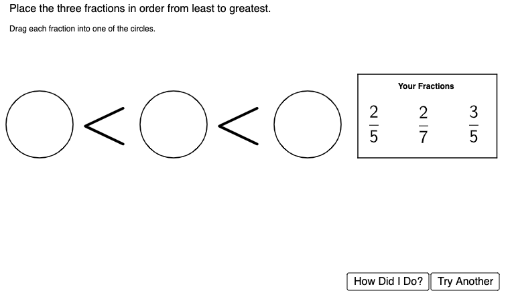
This example demonstrates how to sort three fractions by comparing them. Key math concepts include comparing and ordering fractions. Commands used include Shuffle, Circle, LaTeX, Random, etc. Suitable for high-grade elementary or junior high school students to learn about comparing and ordering fractions.
GeoGebra Commands & Parameters
Shuffle(FractionLocationList) → FractionLocationListShuffled, {(15.5, 2), (14, 2), (17, 2)}Circle(CircPoint1, CircRad1) → CircOutline1Circle(CircPoint2, CircRad2) → CircOutline2Circle(CircPoint3, CircRad3) → CircOutline3LaTeX(Text["\dfrac{" + Numer2 + "}{" + Denom2 + "}"]) → FracDisplay2LaTeX(Text["\dfrac{" + Numer1 + "}{" + Denom1 + "}"]) → FracDisplay1LaTeX(Text["\dfrac{" + Numer3 + "}{" + Denom3 + "}"]) → FracDisplay3Circle(DragPoint1, DragRad1) → DragArea1Circle(DragPoint2, DragRad2) → DragArea2Circle(DragPoint3, DragRad3) → DragArea3LaTeX(Text["\checkmark"]) → RightCheckLaTeX(Text["×"]) → WrongCheckRandom(0, 1) → DiceRollSegment(A, B) → fSegment(B, C) → gSegment(C, D) → hSegment(D, A) → iLaTeX(Text["\underbrace{\hspace{10.5cm}}"]) → leftbraceLaTeX(Text["\underbrace{\hspace{10.5cm}}"]) → rightbraceLaTeX(Text["\underbrace{\hspace{17.5cm}}"]) → middlebraceLaTeX(Text["\overbrace{\hspace{10.5cm}}"]) → upperleftbraceLaTeX(Text["\overbrace{\hspace{10.5cm}}"]) → upperrightbrace
AI Drawing Prompt Reference
Draw three circles at random positions to represent three fractions. Use LaTeX to display these fractions and arrange them in order of size. Provide draggable areas for users to reorder the fractions, and show a checkmark for correct answers and a cross for incorrect ones.
The prompt above was compiled from the original drawing commands and is for reference only.