
Sonar Detection and Triangle Calculation
Loading the math board and drawing, please wait…
In collections
PARCC Math II Unit 5 Lesson 5
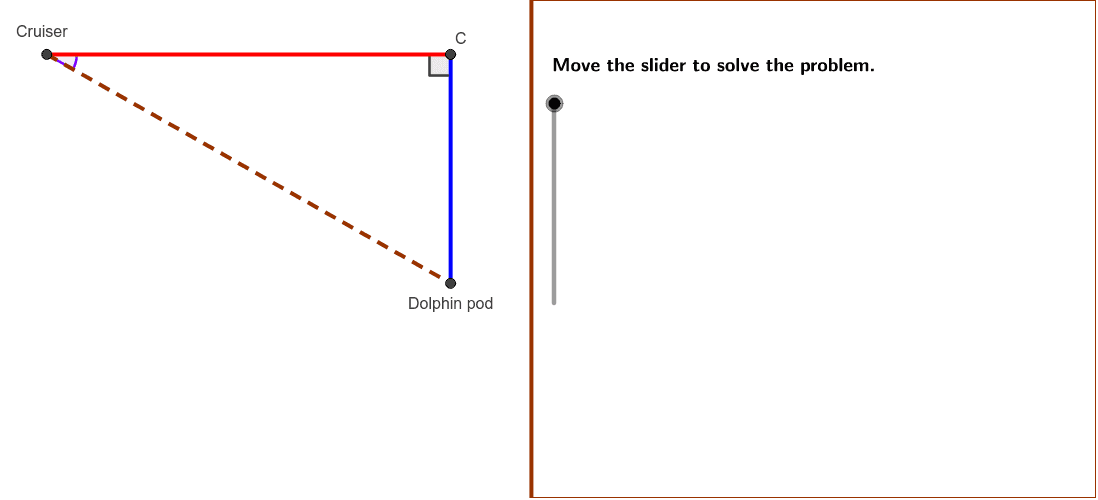
This example demonstrates how a sonar operator calculates distances using right triangles formed with a submarine. The core math concepts involve trigonometry and coordinate geometry. The construction uses GeoGebra commands like Polygon, Min, Segment, and Angle to build the triangle and compute side lengths and angles. Suitable for high school mathematics teaching, focusing on the application of trigonometric functions in real-world problems.
GeoGebra Commands & Parameters
Polygon((Edge, y(Corner[1])), Corner[2], Corner[3], (Edge, y(Corner[4]))) → Mask, a, b, c, dMin(5, (5 * distanceAC / distanceBC)) → lengthACSegment(C, A) → ACMin(5, (5 * distanceBC / distanceAC)) → lengthBCSegment(B, C) → BCSegment(B, A) → ABAngle(B, A, C) → BACAngle(A, C, B) → ACBAngle(C, B, A) → CBA
AI Drawing Prompt Reference
Draw a sonar detection scenario: a submarine at the lower left and a target at the upper right, connected by a slanted line as the hypotenuse. From the submarine, draw a horizontal segment; from the target, draw a vertical segment; these meet to form a right triangle. Label the three interior angles of the triangle)Skip the angle labels? Actually include them. Also show the lengths of the two legs as numbers, scaled so each is at most 5, based on the ratio of the hypotenuse to the other leg. The diagram illustrates using trigonometry to compute distances.
The prompt above was compiled from the original drawing commands and is for reference only.