
Solving Quadratic Equations with Complex Solutions
Loading the math board and drawing, please wait…
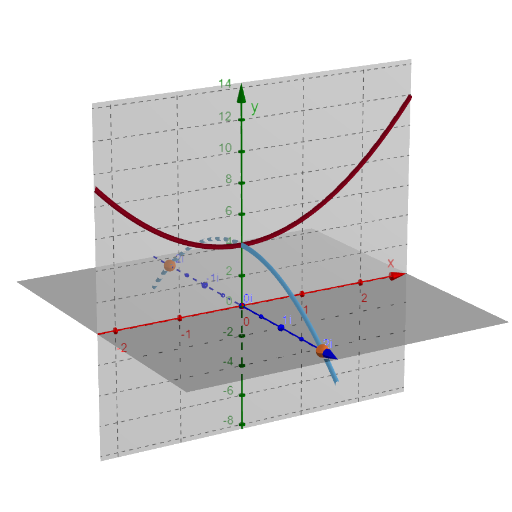
This example demonstrates how to solve quadratic equations with complex solutions using GeoGebra. Key mathematical concepts include quadratic equations and complex numbers. The construction involves commands such as Point, Plane, OrthogonalLine, and IntersectPath. Suitable for high school math education or learning.
GeoGebra Commands & Parameters
Point(f) → BPoint(f) → CPlane(C, A, B) → bOrthogonalLine(A, a, space) → dOrthogonalPlane(A, e) → gIntersectPath(g, c) → hIntersect(i, h) → D_1, DPoint(zAxis) → ESegment(E, D_1) → jPoint(zAxis) → FSegment(F, D) → kIntersect(a, xAxis) → GSegment(G, D_1) → lSegment(G, D) → m
AI Drawing Prompt Reference
Create a geometric diagram that illustrates solving quadratic equations with complex solutions. Place several key points in a coordinate setting to represent the coefficients, then define a plane determined by three of these points. From a common reference point, draw a line orthogonal to a given direction and also construct a plane orthogonal to another direction. Find an intersection between this orthogonal plane and the corresponding path object to obtain an intersection line, then intersect the path with that line to get two main intersection points. Mark two points on the vertical axis and connect each to the relevant intersection points with line segments, and also take a point on another axis and connect it to the intersection points to show the overall relationships.
The prompt above was compiled from the original drawing commands and is for reference only.