
Solving Quadratic Equations by Rivkah Singh
Loading the math board and drawing, please wait…
In collections
Maths and Statistics Support
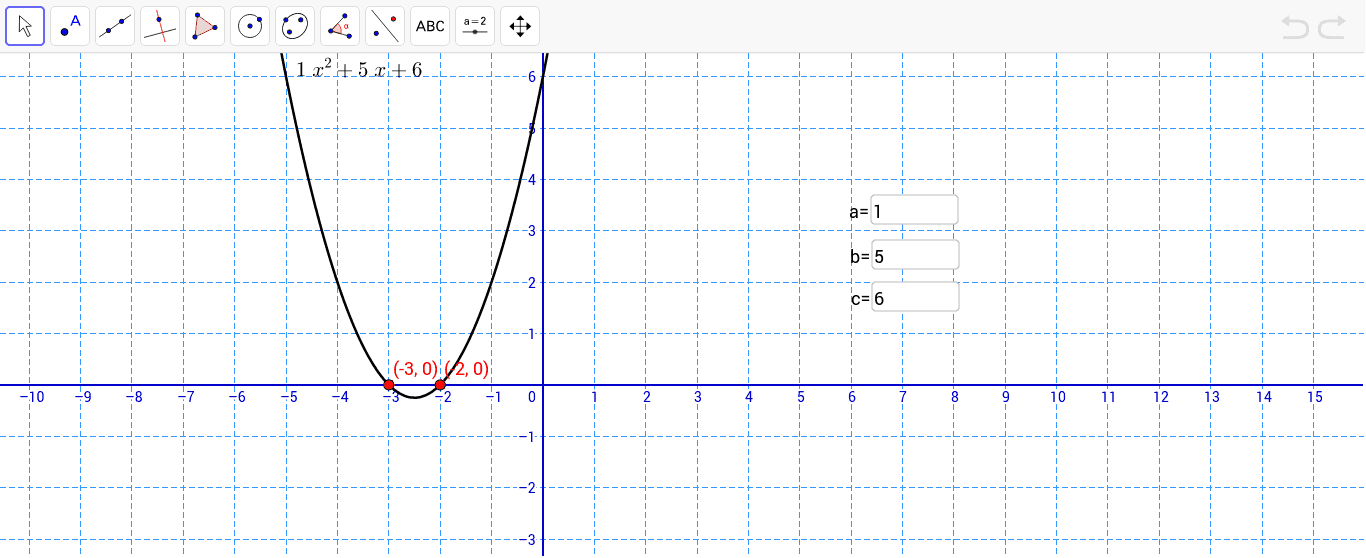
This example demonstrates solving quadratic equations of the form ax^2 + bx + c = 0. By inputting the values of a, b, and c, the roots of the equation can be found. The Intersect and Textfield commands are used. Suitable for middle school and above students to learn the solution methods of quadratic equations.
GeoGebra Commands & Parameters
Intersect(f, xAxis, 2) → BIntersect(f, xAxis, 1) → ATextfield(a) → inputBox1Textfield(b) → inputBox2Textfield(c) → inputBox3
AI Drawing Prompt Reference
Draw a quadratic function graph, input the values of a, b, and c using input boxes, find the intersection points of the graph with the x-axis, and display the roots of the quadratic equation ax^2+bx+c=0 in the input boxes.
The prompt above was compiled from the original drawing commands and is for reference only.