
Solving Systems of Linear Equations by Rivkah Singh
Loading the math board and drawing, please wait…
In collections
Maths and Statistics Support
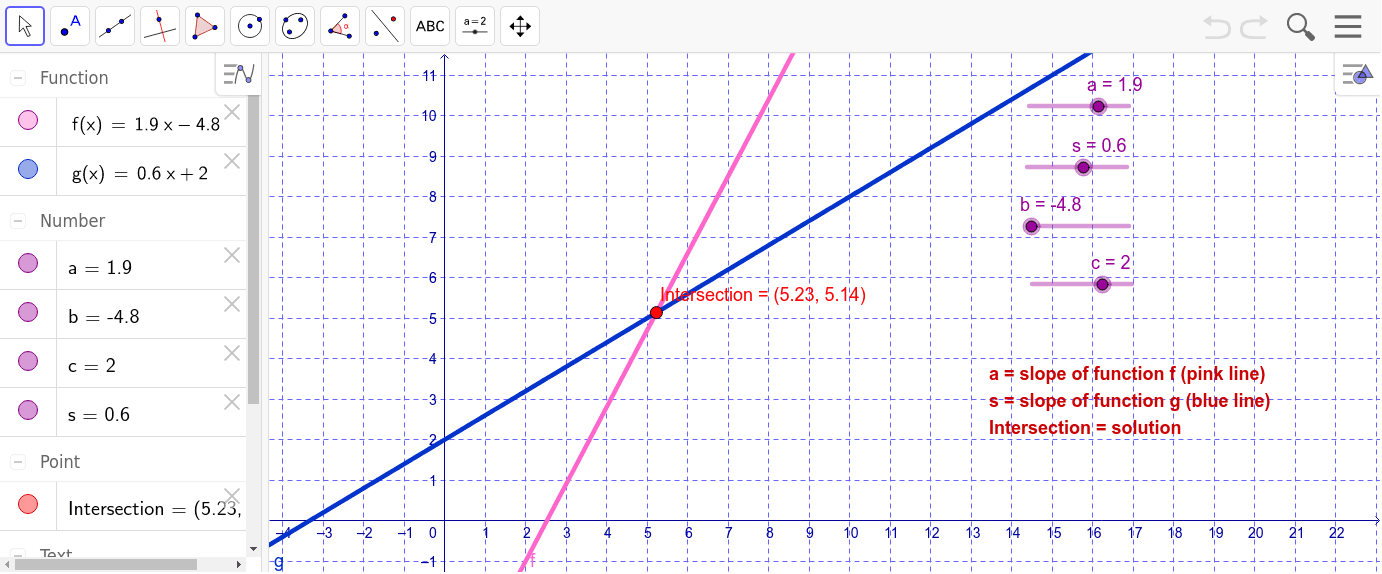
This example allows users to create their own linear equations and explore their solutions. Key mathematical concepts include linear equations, intersections, and coordinate geometry. The Intersect command is used to find intersections, and text1 is used for annotations. Suitable for middle school and above students learning linear algebra and coordinate geometry.
GeoGebra Commands & Parameters
Intersect(f, g, 1) → Intersection
AI Drawing Prompt Reference
Draw two linear function graphs and mark their intersection point to show the solution of the system of linear equations. Use parametric functions to construct them, highlighting the relationship in coordinate geometry, and clearly express the intersection characteristics of the functions, suitable for students learning linear algebra and coordinate geometry to explore.
The prompt above was compiled from the original drawing commands and is for reference only.