
Solving Exponential Equations
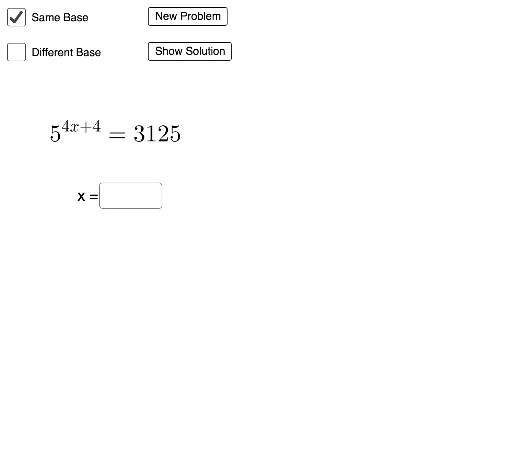
Loading the math board and drawing, please wait…
This example demonstrates solving exponential equations using GeoGebra through interactive operations, visually showing the solution process. Core math concepts include exponential functions, equation solving, linear programming, differential calculus, tangent function, 3D surface, and 2D vectors. Construction highlights involve commands like Random, RandomElement, Textfield, Vector, and objects such as a, b, check, button1, button2, samebase, d, c, e, f, g, text1, sol1, InputBox1, actsol1, text2, text3, text5, A, B, u, C, D, v, E, F, w, h, text4, text7, diffbase1, i, diffbase3, j, text6, sol2, InputBox2, text8, actsol2, k for dynamic interaction. Suitable for high school and above learners to understand exponential equation solving and visualization.
GeoGebra Commands & Parameters
Random(1, 6) → dRandom(2, 6) → cRandomElement(samebase) → eRandom(2, 5) → fTextfield(sol1) → InputBox1Vector(A, B) → uVector(C, D) → vVector(E, F) → wRandomElement(diffbase1) → iRandomElement(diffbase3) → jTextfield(sol2) → InputBox2Vector(G, H) → nVector(I, J) → pVector(K, L) → qVector(M, N) → rVector(O, P) → s
AI Drawing Prompt Reference
Create an interactive educational diagram for solving exponential equations. The scene includes two dynamically generated exponential equations, each with a text input box for user answers. Solutions are shown as vector arrows on a coordinate plane, with arrows pointing from start to end to illustrate the solving process. Random bases and exponents are used, distinguishing between same-base and different-base cases. The layout is clear, featuring multiple vector arrows and text labels to step-by-step display the solution process and final answers, suitable for high school and above students to understand exponential equation solving and visualization.
The prompt above was compiled from the original drawing commands and is for reference only.