
Solving Equations and Inequalities Using Substitution by GeoGebra Content Team
Loading the math board and drawing, please wait…
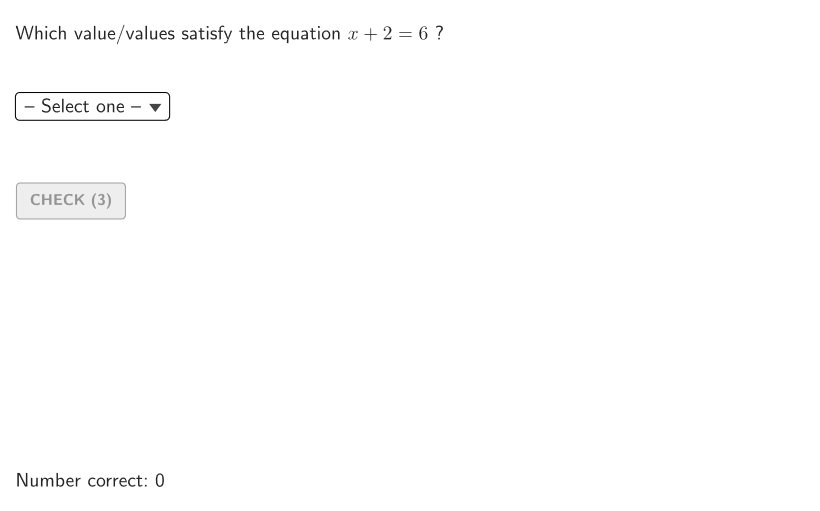
This example demonstrates how to identify values that satisfy equations or inequalities using substitution. Key math concepts include substitution method, equation solving, and inequality analysis. Construction involves GeoGebra commands like Shuffle, Element, SelectedIndex, etc. Suitable for grades 6-8 for algebraic practice and classroom activities.
GeoGebra Commands & Parameters
Shuffle(Sequence[15]) → problType, {2, 14, 7, 9, 1, 10, 13, 11, 12, 8, 6, 3, 5, 15, 4}Element(problType, Mod[count, Length[problType]] + 1) → valTypeShuffle(Sequence[t, t, 2, 5, 1]) → allA, {3, 5, 2, 4}Element(allA, Mod[count, Length[allA]] + 1) → valAShuffle(Sequence[t, t, 2, 5, 1]) → allB, {2, 3, 4, 5}Element(allB, Mod[count, Length[allB]] + 1) → valBShuffle(Sequence[t, t, 6, 9, 1]) → allC, {6, 7, 8, 9}Element(allC, Mod[count, Length[allC]] + 1) → valCSelectedIndex(dd7) → is7SelectedIndex(dd15) → is15SelectedIndex(dd14) → is14SelectedIndex(dd13) → is13SelectedIndex(dd12) → is12SelectedIndex(dd11) → is11SelectedIndex(dd10) → is10SelectedIndex(dd9) → is9SelectedIndex(dd8) → is8SelectedIndex(dd6) → is6SelectedIndex(dd5) → is5SelectedIndex(dd4) → is4SelectedIndex(dd3) → is3SelectedIndex(dd1) → is1SelectedIndex(dd2) → is2Element(allA, Mod[countQuestion, 15] + 1) → randomNum2Element(problType, Mod[countQuestion, 20] + 1) → randomNum1Textfield(input1) → InputBox1Textfield(input2) → InputBox2Polygon(Zip[PixelsToPoint[Corner[1], Corner[3], Corner[5], A], A, {(pixelsLeft, pixelsTop), (pixelsLeft, y(Corner[5]) - pixelsBottom), Corner[5] - (pixelsRight, pixelsBottom), (x(Corner[5]) - pixelsRight, pixelsTop)}]) → borderBoxCorner(5) → layoutAppSizeSegment(A, B) → displaySegmentexpandSegment(A, B, (pulsing * 7), Corner[1], Corner[3], Corner[5]) → pulsingObjectonboardingTextOffset(Corner[onboardingText, 1], Corner[onboardingText, 3], onboardingCase, Corner[1], Corner[3], Corner[5]) → OnboardingTextOffsetElement({If[layoutX ≟ 16, layoutX - 5, 11], layoutX - 5}, layoutCase) → layoutHintSolnX
AI Drawing Prompt Reference
Draw a graph of the solution set for an inequality, including a border box to indicate the problem type and value type. Use random numbers to generate different A, B, and C values, and select specific values using index selection. Based on these values, draw a segment and a pulsing object to show the dynamic changes in the solution set. Finally, add hint text to guide the user on how to input the solution set through the input boxes.
The prompt above was compiled from the original drawing commands and is for reference only.