
Solve System of Equations Practice (y=mx+b) with Random Generation and Feedback
Loading the math board and drawing, please wait…
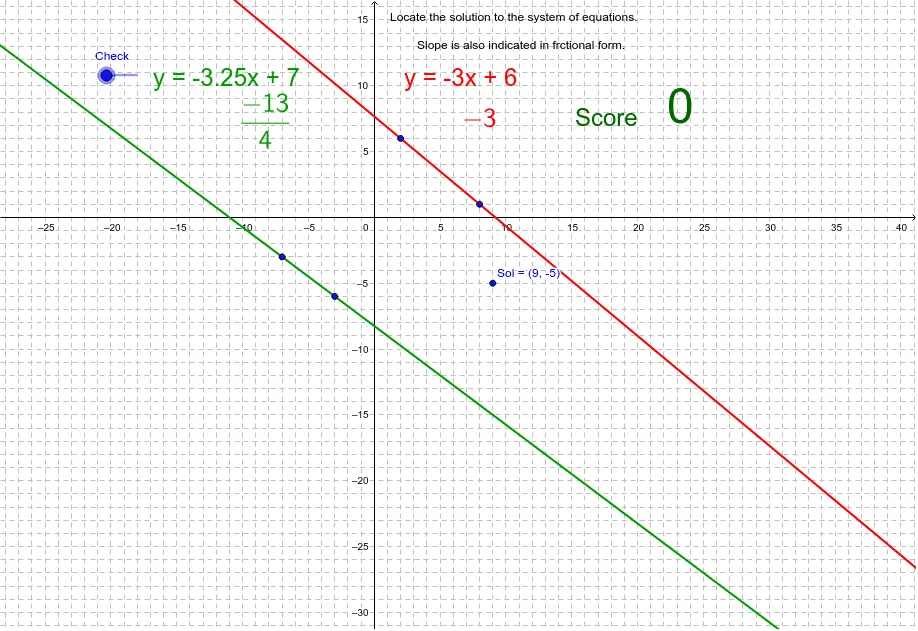
This GeoGebra example is an interactive practice tool for solving systems of linear equations in the slope-intercept form y=mx+b. It visually demonstrates how two lines intersect at a point that represents the solution to the system, combining graphical representation with algebraic manipulation. Core mathematical concepts include linear functions, slope and intercept, systems of equations, intersection points, and coordinate geometry. The construction uses the Random command to generate random coefficients, If for conditional checking of answers, Line to draw the two lines, and Text/FractionText to display equations and results as fractions. Key objects include aa, b, s, sn, a, r, g, B, R, G, Red, Green, text1, A, C, D, E, c, d, Sol, Check, addpt, score, text2 through text9, slopered, and slopegreen, which handle slope display, score tracking, check buttons, and dynamic hints. This resource is suitable for middle or high school students learning systems of equations, and can be used for self-study or classroom demonstration, offering randomized problems and immediate feedback to reinforce problem-solving skills.
GeoGebra Commands & Parameters
Random(1, 10) → aaRandom(-10, 10) → bRandom(0, 1) → sIf(s ≟ 0, -1, 1) → snRandom(-10, 10) → rRandom(-10, 10) → gLine(R, B) → RedLine(G, B) → GreenLine(A, C) → cLine(D, E) → dIf(Sol ≟ B, 1, 0) → addptText(Red) → text2Text(Green) → text3FractionText(slopered) → text4FractionText(slopegreen) → text5Text(score) → text8
AI Drawing Prompt Reference
Create an interactive coordinate plane for practicing solving systems of linear equations. Randomly generate two lines, one red and one green, intersecting at a point that represents the solution. Display each line's slope as a fraction and its equation as text. Include a score display, a check button, and input fields for answers. When the user submits, the system checks correctness and updates the score. Add axes, grid lines, and hint text labels.
The prompt above was compiled from the original drawing commands and is for reference only.