
Solve Simultaneous Linear Equations of Two Unknowns by Graphical Method
Loading the math board and drawing, please wait…
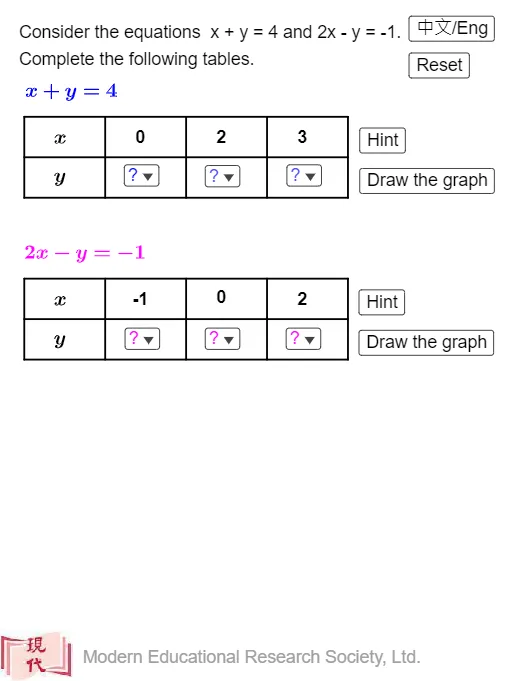
This example demonstrates solving simultaneous linear equations of two unknowns using the graphical method. Key mathematical concepts include the graphical representation of linear equations. The construction involves commands such as Intersect, Sequence, Textfield, Line, etc. Suitable for students at the junior high school level and above.
GeoGebra Commands & Parameters
Intersect(f, g) → A_0Sequence(Segment[(x(T_1) + (2 * k), y(T_1)), (x(T_1) + (2 * k), y(T_1) + 2)], k, 0, 4) → t_1Sequence(Segment[(x(T_1), y(T_1) + k), (x(T_1) + 8, y(T_1) + k)], k, 0, 2) → t_2Sequence(Segment[(x(T_2) + (2 * k), y(T_2)), (x(T_2) + (2 * k), y(T_2) + 2)], k, 0, 4) → t_3Sequence(Segment[(x(T_2), y(T_2) + k), (x(T_2) + 8, y(T_2) + k)], k, 0, 2) → t_4Textfield(f) → InputBox1Textfield(g) → InputBox2Line(A_1, A_2) → f_2Line(A_4, A_5) → g_2Line(A_2, A_3) → f_3Line(A_5, A_6) → g_3Corner(2, 1) → CSegment(B_2, A_0) → hSegment(A_0, B_1) → iCorner(2, 1) → ZIf(chi ≟ false, "Yes", "是") → text17
AI Drawing Prompt Reference
Draw two intersecting lines to represent a system of linear equations, highlighting their intersection point. Add multiple parallel line segments on each line, and include input boxes for the equations. Connect the intersection point to corners with line segments, and display text confirming the solution based on a condition.
The prompt above was compiled from the original drawing commands and is for reference only.