
Solve and Verify an Equation
Loading the math board and drawing, please wait…
In collections
Numeracy Practice
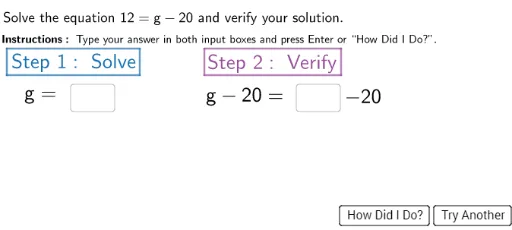
This example demonstrates solving and verifying an equation. Key mathematical concepts include solving and verifying equations. Using GeoGebra commands such as Textfield and Polygon, the steps to solve the equation are constructed. Suitable for middle school and above students or teachers.
GeoGebra Commands & Parameters
Textfield(usertext1) → answerboxTextfield(usertext2) → verify1Textfield(usertext2) → verify2Polygon((-0.1, 6), (3.4, 6), (3.4, 6.7), (-0.1, 6.7)) → SolveBox, f, g, h, iPolygon((5.1, 6), (8.7, 6), (8.7, 6.7), (5.1, 6.7)) → VerifyBox, j, k, l, m
AI Drawing Prompt Reference
Draw the process of solving and verifying an equation. First, create a text box to input the equation, then create a polygon area to solve the equation, next create another text box to input verification steps, and finally create a polygon area to verify the equation.
The prompt above was compiled from the original drawing commands and is for reference only.