
SOH CAH TOA for Sides
Loading the math board and drawing, please wait…
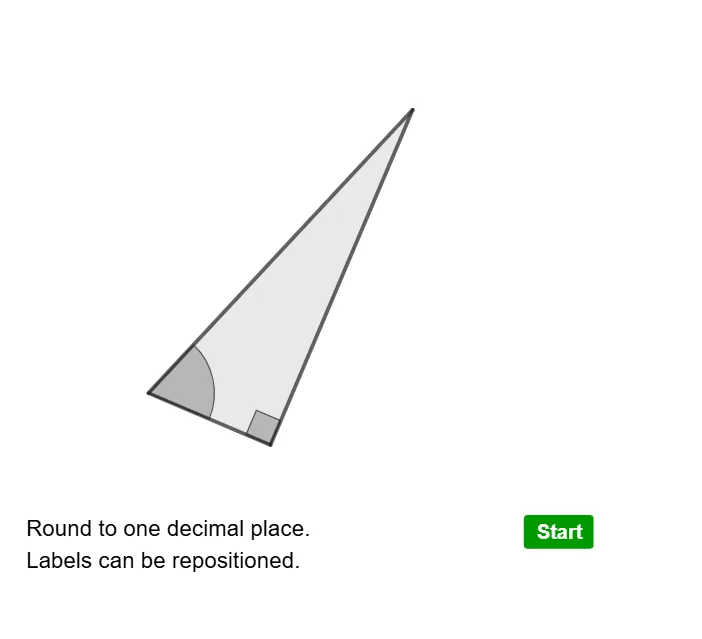
This example demonstrates the application of SOH CAH TOA in side relationships. It involves core trigonometric concepts and uses multiple GeoGebra commands such as Polygon, Angle, Random, Midpoint, Shuffle, etc., to construct a dynamic triangle model. Suitable for middle school and above students to learn trigonometry and geometric construction.
GeoGebra Commands & Parameters
Polygon(B, A, C) → t1, c_1, b, a_1Angle(B, C, A) → βRandom(1, 10) → pMidpoint(B, C) → DMidpoint(C, A) → EMidpoint(A, B) → FAngle(C, A, B) → γAngle(A, B, C) → δShuffle(list1) → list2, {0, 0, 1, 0, 0, 0}Circle((0, 0), d) → cTextfield(empty1) → InputBox1Textfield(empty2) → InputBox2Textfield(empty3) → InputBox3Circle(A, 0.6) → qIntersect(q, c_1, 1) → JIntersect(q, b, 1) → KMidpoint(K, J) → L
AI Drawing Prompt Reference
Draw a triangle ABC with angles BAC, ABC, and BCA labeled using SOH CAH TOA. Randomly generate a number between 1 and 10 as the side length ratio. Find the midpoints D, E, and F of the triangle. Draw a circle centered at A with a radius of 0.6, and find its intersections with the sides of the triangle at points J and K. Then find the midpoint L of J and K.
The prompt above was compiled from the original drawing commands and is for reference only.