
Slippery Surface 03
Loading the math board and drawing, please wait…
In collections
Slippery surface
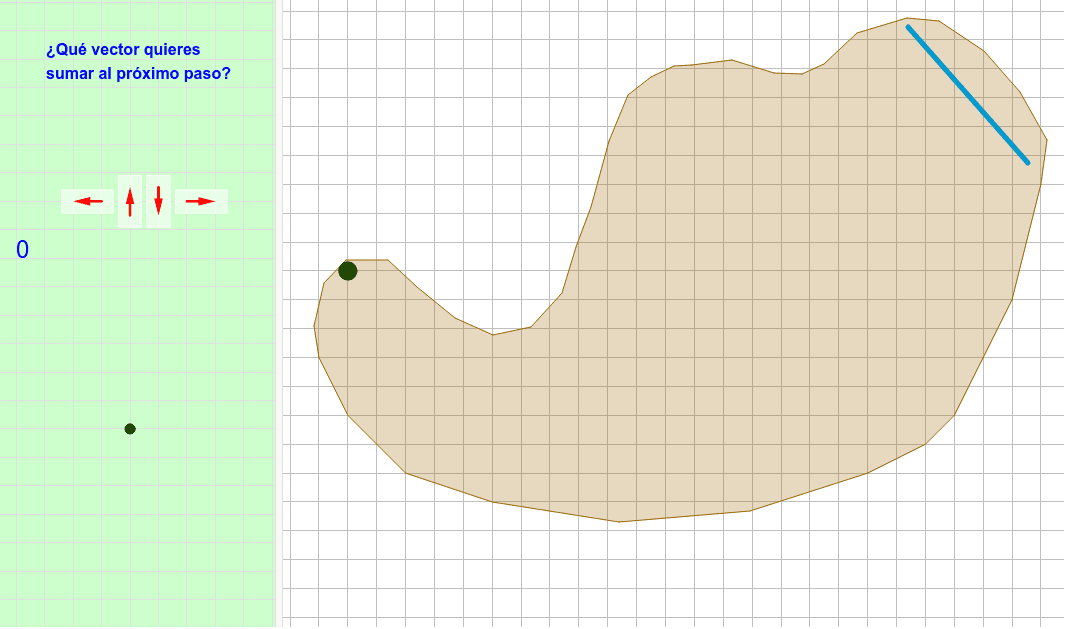
This example demonstrates a geometric construction related to a slippery surface, using polygons and vectors to illustrate sliding effects. Core mathematical concepts include distributions, Pythagorean theorem, difference and slope, perimeter, and rational numbers. The construction utilizes GeoGebra commands and objects such as Polygon, Segment, Intersect, Vector, PolyLine, and Translate. Suitable for high school mathematics education to understand geometric transformations and related concepts.
GeoGebra Commands & Parameters
Polygon(E, F, B, N, O, R, S, T, U, V, W, Z, G, A_1, B_1, C_1, D_1, E_1, F_1, G_1, H_1, I_1, J_1, H, K_1, L_1, M_1, N_1, O_1, P_1, Q_1, R_1, I, J, K, L, M, A) → camino, c, m, p, q, i_1, s_1, t_1, c_2, d_2, e_2, f_2, d, g_2, h_2, j_2, k_2, l_2, m_2, n_2, p_2, q_2, r_2, e, s_2, t_2, a_3, b_3, c_3, d_3, e_3, f_3, g_3, f, g, h, j, k, lSegment(Q, P) → segmentoIntersect(segmento, camino) → corte, corte_1, corte_2, corte_3Segment(C, D) → llegadaIntersect(llegada, segmento) → corteganadorVector(ejemplo, ejemplopunta) → ejemplovectorPolyLine(listarastro) → rastroVector(controles + (1, 1), controles + (0, 1)) → izqVector(controles + (2, 0.5), controles + (2, 1.5)) → arrVector(controles + (3, 1.5), controles + (3, 0.5)) → abaVector(controles + (4, 1), controles + (5, 1)) → derVector(ejemplo, puntoexplicado) → vectorexplicado_1Vector(puntoexplicado, ejemplopunta) → vectorexplicado_2Vector(P, P + (i * (Q - P))) → segmentovisiblePolygon((0, 0), (0.8, 0), (0.8, 1.8), (0, 1.8)) → rectangulito, rectangulito_2, rectangulito_3, rectangulito_4, rectangulito_5Translate(Rotate[rectangulito, 90*°], controles + (5.4, 0.6)) → der_FTranslate(rectangulito, controles + (2.6, 0.1)) → aba_FTranslate(rectangulito, controles + (1.6, 0.1)) → arr_FTranslate(Rotate[rectangulito, 90*°], controles + (1.4, 0.6)) → izq_F