
Sliced Sphere
Loading the math board and drawing, please wait…
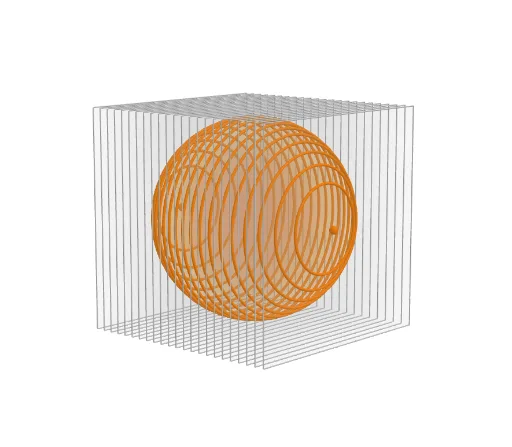
This example demonstrates the cross-sections of a sphere. It involves the geometric properties of a sphere and rotation transformations. Using the Sequence command, it dynamically shows the changes in the sphere's cross-sections. Suitable for high school mathematics education, particularly for studying solid geometry and rotation transformations.
GeoGebra Commands & Parameters
Sequence(Circle[(w, 0, 0), sqrt(100 - w^(2)), xAxis], w, -10, 10) → l2Sequence(Polygon[(w, -11, -11), (w, 11, -11), (w, 11, 11), (w, -11, 11)], w, -11, 11) → l1
AI Drawing Prompt Reference
Draw the cross-sections of a sphere, showing the shape changes as the sphere is sliced at different positions, using a dynamic sequence to display the cross-sections varying with the slicing position from -10 to 10, drawing circular cross-sections at each position and a rectangle below as a reference, presenting the geometric properties of sphere cross-sections and rotation transformations.
The prompt above was compiled from the original drawing commands and is for reference only.