
Sinusoidal Equations Practice
Loading the math board and drawing, please wait…
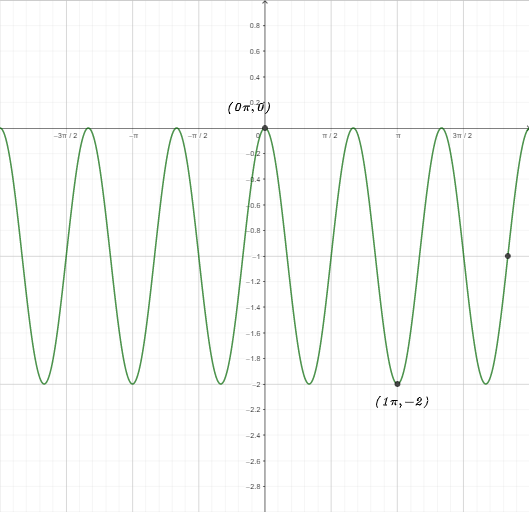
This example demonstrates how to draw sinusoidal curves and write their equations by inputting parameters. Core math concepts include trigonometric functions, coordinate systems, and parametric equations. Construction highlights use of GeoGebra commands/objects like RandomElement, Min, Max, FractionText, Textfield. Suitable for high school students practicing function graphing and equation solving.
GeoGebra Commands & Parameters
RandomElement(l4) → kRandomElement(l3) → hRandomElement(l2) → bRandomElement(l1) → aMin(f, (-2 * π), (2 * π)) → BMax(f, (-2 * π), (2 * π)) → AFractionText(c) → text1FractionText(e) → text4Textfield(g) → InputBox1RandomElement(l9) → F
AI Drawing Prompt Reference
Draw a sine curve defined by parameters a, b, h, and k, where a and b are the amplitude and period, and h and k are the shifts. First, randomly select values for a, b, h, and k. Then, plot the sine curve y = a * sin(b * (x - h)) + k. Next, display the amplitude A and period B on the coordinate system, and show the equation of the curve y = a * sin(b * (x - h)) + k below.
The prompt above was compiled from the original drawing commands and is for reference only.