
Sine Rule Alternative Starter Diagram
Loading the math board and drawing, please wait…
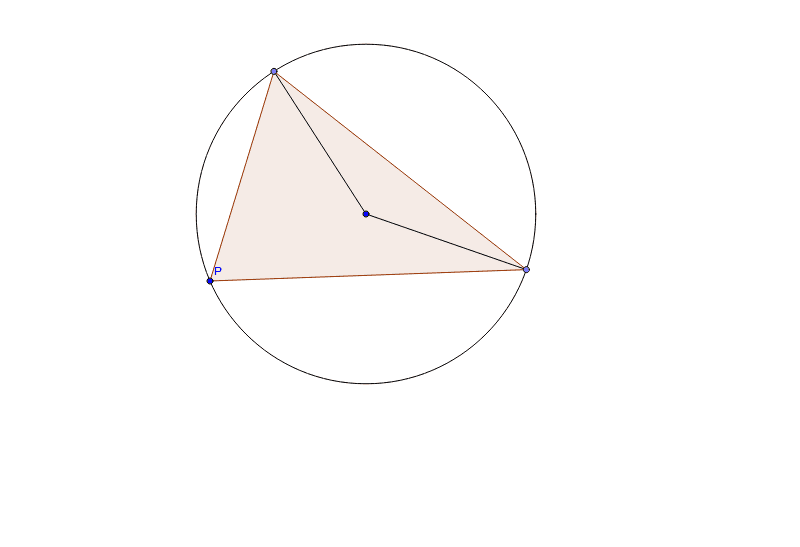
This example demonstrates an alternative starter diagram for the sine rule. The sine rule describes the relationship between the lengths of the sides of a triangle and the sines of its angles. Using basic geometric objects like circles, polygons, and segments, the diagram illustrates how to construct a triangle and determine its side lengths using the sine function. The construction involves commands such as Circle, Point, Polygon, and Segment. Suitable for high school mathematics education, particularly in teaching trigonometry and geometric construction.
GeoGebra Commands & Parameters
Circle(D, P) → dPoint(d) → GPoint(d) → HPolygon(G, P, H) → poly2, h_1, g, f_1Segment(G, D) → aSegment(D, H) → b
AI Drawing Prompt Reference
Draw a circle with a center point. Place a point on the circle as one vertex of a triangle. Then choose two more distinct points on the circle. Connect the center to each of these two points with segments, and also connect the three points on the circle to form a triangle. The final diagram shows a triangle inscribed in a circle, with one side passing through the center, illustrating the sine rule relationship.
The prompt above was compiled from the original drawing commands and is for reference only.