
Sine on the Unit Circle in Radians
Loading the math board and drawing, please wait…
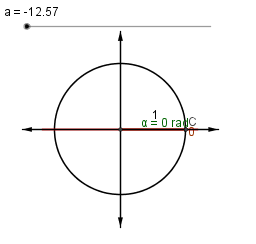
①This example dynamically illustrates the sine function defined on the unit circle using radian measure, linking the angle, arc length, and sine value through an interactive geometric construction. ②Core mathematical concepts include the unit circle, radians, sine function, right triangles, coordinate representation, and the translation and step-function characteristics of the sine graph. ③Construction highlights: using GeoGebra commands such as Intersect, Rotate, Angle, Segment, OrthogonalLine, Polygon, Point, Line, and Vector to build the circle, rotating angle, perpendicular lines, triangles, and corresponding points on the sine curve, with dynamic control via sliders or angle animation. ④Suitable for high school and introductory college students learning trigonometry, radian measure, and function graphing, as well as for classroom demonstrations or self-study to grasp the periodicity and geometric meaning of sine.
GeoGebra Commands & Parameters
Intersect(c, b, 2) → AIntersect(b, d) → BRotate(A, a, B) → CAngle(A, B, C) → αSegment(C, B) → eOrthogonalLine(C, b) → fIntersect(b, f) → DPolygon(C, D, B) → poly1, b_1, c_1, d_1Point(b) → EPoint(b) → FOrthogonalLine(F, b) → gOrthogonalLine(E, b) → hLine(C, b) → iIntersect(g, i) → GIntersect(h, i) → HSegment(G, H) → jPoint(b) → IPoint(b) → JPoint(d) → KPoint(d) → LVector(I, J) → uVector(J, I) → vVector(K, L) → wVector(L, K) → z
AI Drawing Prompt Reference
Draw a unit circle with a rotating radius that defines an angle in radians; from the moving point on the circumference drop a perpendicular to the horizontal axis to obtain the sine value, and plot a corresponding point on a graph whose horizontal axis is the angle (arc length) and vertical axis is the sine, tracing the sine curve; show the right triangle, the perpendicular, the arc equal to the angle, and provide a slider to animate the angle, illustrating the dynamic link between the circle geometry and the sine function.
The prompt above was compiled from the original drawing commands and is for reference only.