
Sine Identity Visualized on the Unit Circle
Loading the math board and drawing, please wait…
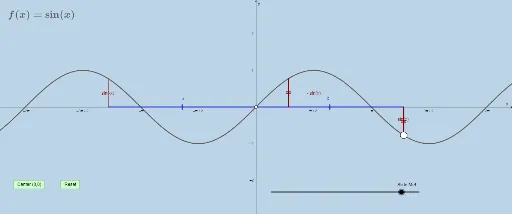
This GeoGebra example dynamically demonstrates sine identities (such as sin(π-θ)=sinθ) through geometric constructions on the unit circle. The core mathematical concepts involve the unit circle, sine function, symmetry transformations, rotation, and vectors. Construction highlights: using GeoGebra commands like Mirror, Rotate, Dilate, and Translate to create special points (G, H, F and their reflected counterparts) on the circle, with Intersect, Segment, and Vector to connect key elements. Interactive buttons (button1, button2) allow toggling between different angle configurations, revealing how sine values remain invariant under certain transformations. Suitable for high school trigonometry classes or pre-calculus review, this resource helps students grasp the geometric foundation of trigonometric identities and explore symmetry and periodicity visually.
GeoGebra Commands & Parameters
Mirror(g, x = 0) → g_1Point(g) → FIntersect(h, y = 0) → GMirror(G, x = 0) → G'Mirror(F, A) → F'Dilate(H, If[0 < e ≤ 1, 1 - e, 0], G) → H'Segment(H, H') → iDilate(G, If[1 < e ≤ 2, 2 - e, 0], F) → G'_1Segment(G, G'_1) → jRotate(H, If[2 < e ≤ 3, ((-(e - 2)) * π), (-π)], H) → H'_1Rotate(H', If[2 < e ≤ 3, ((-(e - 2)) * π), (-π)], H) → H''Segment(H'_1, H'') → i'Dilate(G', If[3 < e ≤ 4, 4 - e, 0], F') → G''Segment(G', G'') → kDilate(F, If[4 < e ≤ 5, 5 - e, 0], F') → F'_1Vector(F, F'_1) → uTranslate(G, u) → G'_2Translate(G'_1, u) → IMirror(g, A) → g_2Rotate(G, If[4 < e ≤ 5, ((-(e - 4)) * π), (-π)], G) → G'_3Rotate(G'_1, If[4 < e ≤ 5, ((-(e - 4)) * π), (-π)], G) → JSegment(G'_3, J) → j'Dilate(G, If[5 < e ≤ 6, 6 - e, 0], G') → G'_4Vector(G, G'_4) → vTranslate(G'_3, v) → KTranslate(J, v) → J'Segment(K, J') → j''
AI Drawing Prompt Reference
Draw a dynamic diagram on the unit circle illustrating sine identities. Start with a circle centered at the origin, and reflect it across the vertical axis to show symmetry. Place a point on the circle, then create its reflections about the center and the vertical axis. Use a slider to control angle changes, applying rotations, dilations, and translations to generate related points on the circle. Connect these points with segments and vectors to reveal how sine values remain invariant under transformations. The final figure includes multiple symmetric points, rotated points, and translated segments, emphasizing symmetry and periodicity.
The prompt above was compiled from the original drawing commands and is for reference only.