
Sine Cosine Law Practice
Loading the math board and drawing, please wait…
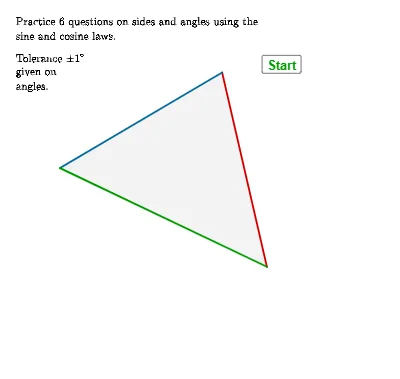
This example demonstrates how to use the sine and cosine laws to solve triangle problems. Key math concepts involved include trigonometric functions, triangle side-angle relationships, and vector operations. The construction utilizes GeoGebra commands and objects like Random, If, Angle, Polygon, Textfield, Midpoint, Shuffle, AreEqual, Corner to generate random triangles and calculate sides and angles for practicing the laws. Suitable for high school mathematics learning and review, helping to deepen understanding and application skills of the sine and cosine laws.
GeoGebra Commands & Parameters
Random(30, 80) → an3rana, 64Random(100, 150) → an3ranb, 103Random(30, 150) → an2ran, 112Random(2, 30) → sf, 28Random(-45, 80) → an1, -43If(an2ran ≤ 90, an3rana, an3ranb) → an3ranAngle(V3, V2, V1) → αPolygon(V1, V2, V3) → t1, v3, v1, v2Angle(V1, V3, V2) → βAngle(V2, V1, V3) → γIf(α > 90°, round(180° - asind((sin(gamr) / sv1 * sv2))), round(asind((sin(gamr) / sv1 * sv2)))) → alphansq2If(α > 90°, round(180° - asind((sv2 * sin(gamr) / ansq6side))), round(asind((sv2 * sin(gamr) / ansq6side)))) → alphansq6Textfield(stansv2) → InputBox1Textfield(stansv3) → InputBox2Midpoint(V3m, V2p) → Mv1Midpoint(V2m, V1p) → Mv3Midpoint(V3p, V1m) → Mv2Shuffle(qlist) → qlistsh, {1, 4, 2, 5, 6, 3}Angle(V3, V2, V1) → δAreEqual(InputBox2, ansq1) → corr13AreEqual(InputBox1, ansq5) → corr5Textfield(stansalpha) → InputBox3If(qQ ≟ 1 ∨ qQ ≟ 3, ("x=" * Text[ansq1]), If[qQ ≟ 5, ("x=" * Text[ansq5]), If[qQ ≟ 2, ("\theta=" * Text[alphansq2]), If[qQ ≟ 4, ("\theta=" * Text[alphaansq4]), ("\theta=" * Text[alphansq6])]]]) → answtextCorner(5) → dims
AI Drawing Prompt Reference
Draw a triangle with randomly generated angles and side lengths, and calculate the sides and angles using the sine and cosine laws. First, generate three random angles, then create a triangle based on these angles. Calculate the side lengths and angles of the triangle, use text boxes to input the calculated results, and verify the answers by comparing them with the inputs.
The prompt above was compiled from the original drawing commands and is for reference only.