
Simplify Expressions with Exponents - Section 1.4
Loading the math board and drawing, please wait…
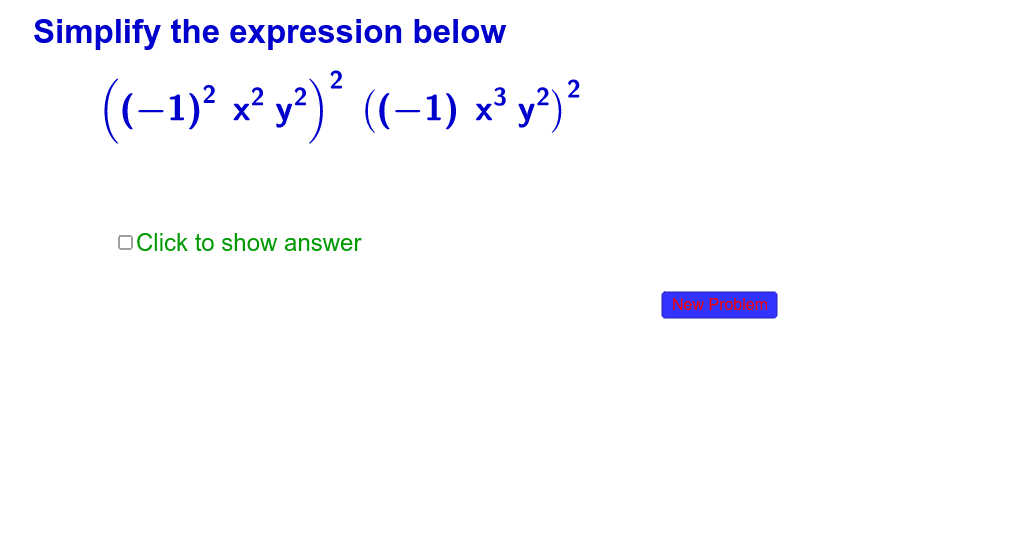
① This interactive GeoGebra example demonstrates the simplification of exponential expressions, generating random problems and showing step-by-step results to reinforce exponent rules. ② Core math concepts include multiplication and division of powers, power of a power, zero and negative exponents, and algebraic manipulation of exponential terms. ③ Construction uses commands such as RandomElement to generate random expressions, Simplify for automatic simplification, If for conditional logic, and LaTeX for typesetting mathematical formulas; objects include a button (button1), text (text1), and various algebraic objects (cexp, c1, c, d, e, f, etc.) for interactive control. ④ Suitable for high school or college preparatory students as a practice tool, and for teachers to demonstrate exponent simplification in class, enabling repeated practice to master the rules.
GeoGebra Commands & Parameters
RandomElement({-3, -2, -1, 2, 3}) → c1Simplify(e) → fIf(l1 > 0, N1) → A5LaTeX(e(x, y, z)) → ppLaTeX(f(x, y, z)) → pa
AI Drawing Prompt Reference
Create an interactive math practice interface with a randomly generated exponential expression in the center, such as one involving powers, division, zero or negative exponents. Below the expression, show its simplified result in clear mathematical typesetting. Place a button on the right side that generates a new random problem when clicked. Use a clean white background, black standard font for formulas, and a blue rounded rectangle for the button, with a text hint explaining the operation. Construct the random expression first, then compute its simplified form, and finally add the button and text.
The prompt above was compiled from the original drawing commands and is for reference only.