
Area Between Concentric Circles
Loading the math board and drawing, please wait…
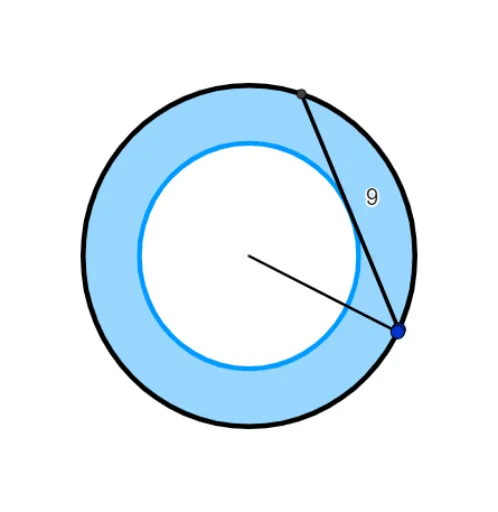
This example demonstrates how to calculate the area between two concentric circles. It involves core mathematical concepts like circle area formulas, integral ideas, and geometric constructions. GeoGebra commands and objects such as Random, Circle, Point, Intersect, Segment, Distance, and Textfield are used in the construction. Suitable for high school mathematics teaching to understand circle area calculations and extend to integral concepts.
GeoGebra Commands & Parameters
Random(3, 12) → rRandom(r, (2 * r) - 1) → chordCircle((0, 0), r) → cPoint(c) → ACircle(A, chord) → dIntersect(c, d, 1) → BSegment(A, B) → c2Distance((0, 0), c2) → r2Circle((0, 0), r2) → ePoint(c) → DSegment((0, 0), D) → RTextfield(ans) → InputBox1
AI Drawing Prompt Reference
Draw two concentric circles where one has a random radius and the other has a radius randomly increased or decreased based on the first. Find the intersection point of the two circles, connect this point to the center of the first circle, measure the length of this segment to set the radius of the second circle, draw the second circle, and display the area difference between the two circles.
The prompt above was compiled from the original drawing commands and is for reference only.