
Simple Volumes of Revolution
Loading the math board and drawing, please wait…
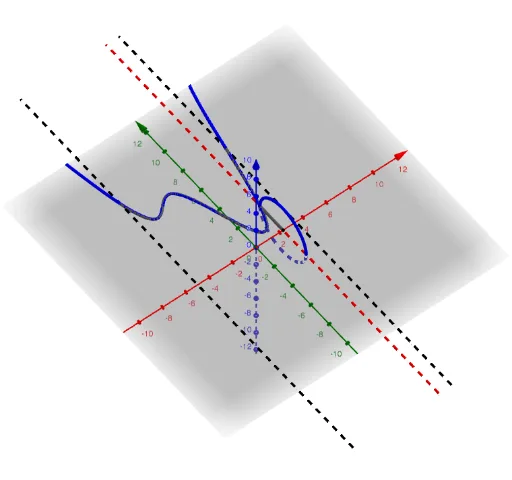
This example demonstrates the calculation of volumes of revolution. Key mathematical concepts include functions, solid geometry, and integration. Using GeoGebra commands such as Intersect, Segment, and Circle, the formation process of the revolution body is visually demonstrated. Suitable for high school mathematics education and learning.
GeoGebra Commands & Parameters
Intersect(f, i, (2.3, 2.5262176968031724)) → AIntersect(i, xAxis) → BSegment(A, B) → jSegment(A, B) → lCircle(xAxis, A) → cTextfield(f) → InputBox1CurveCartesian(t, f(t), t, a, b) → dSurface(d, p, m) → eCurveCartesian(a, (t * f(a)), t, 0, 1) → nCurveCartesian(b, (t * f(b)), t, 0, 1) → oSurface(n, p, m) → qSurface(o, p, m) → r
AI Drawing Prompt Reference
Draw a function f and show the process of forming a solid of revolution around the x-axis. Find the intersection points A and B of the function with the x-axis, then draw line segment AB. Rotate the segment AB to form the solid, and use curves and surfaces to represent the surface of the solid.
The prompt above was compiled from the original drawing commands and is for reference only.