
Simple Cube
Loading the math board and drawing, please wait…
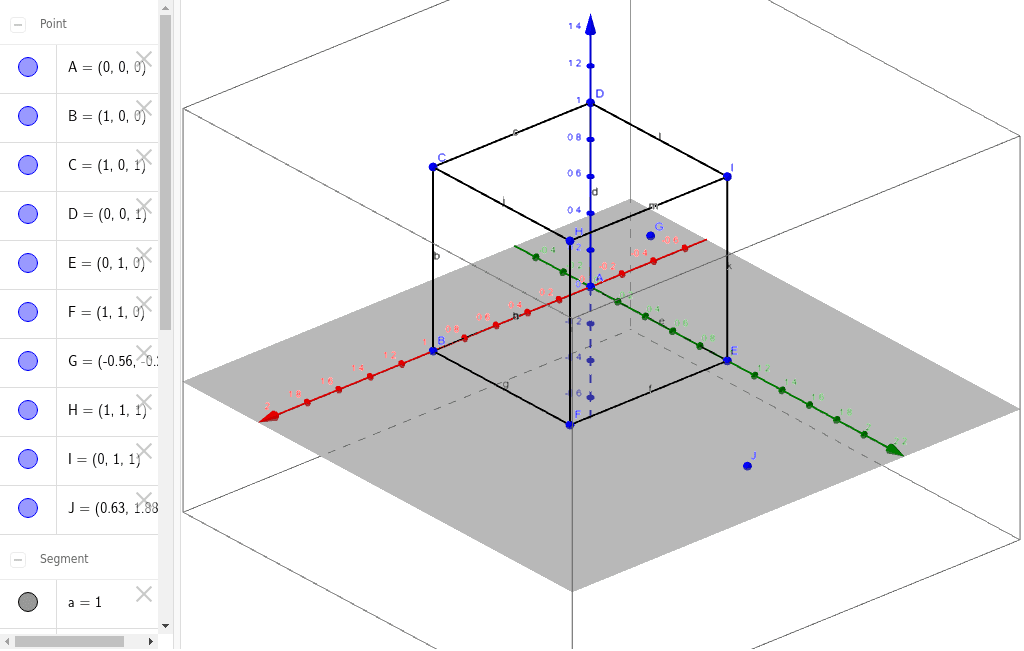
This example demonstrates the basic geometric construction and properties of a cube. Core math concepts include solid geometry, similar triangles, geometric transformations, and quadrilaterals. Construction highlights involve using commands like Segment and objects such as A, B, C, D, a, b, c, d, E, F, e, f, g, h, H, i, j, I, k, l, m, G, J. Suitable for high school and above students learning spatial geometry and transformations.
GeoGebra Commands & Parameters
Segment(A, B) → aSegment(B, C) → bSegment(C, D) → cSegment(D, A) → dSegment(Intersect[yAxis, xAxis], E) → eSegment(E, F) → fSegment(F, B) → gSegment(B, A) → hSegment(F, H) → iSegment(C, H) → jSegment(I, E) → kSegment(I, D) → lSegment(I, H) → m
AI Drawing Prompt Reference
Draw a cube by first creating a square as the base, then adding four vertical edges to form the sides, and finally connecting the top vertices to complete the cube, ensuring all edges are equal in length and adjacent edges are perpendicular for a 3D appearance.
The prompt above was compiled from the original drawing commands and is for reference only.