
Simple Addition and Subtraction on Number Line
Loading the math board and drawing, please wait…
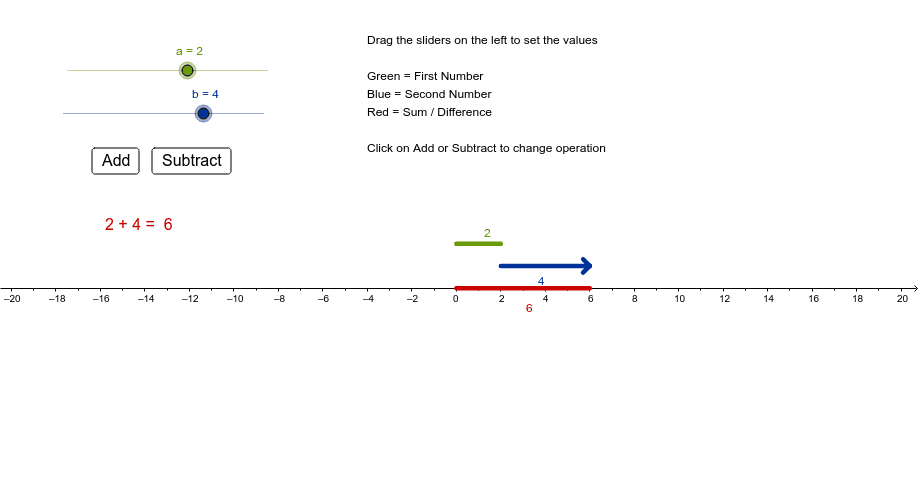
This example dynamically demonstrates simple addition and subtraction operations on a number line. It involves core math concepts like number line, absolute value, and addition/subtraction rules. Construction highlights include using commands like Segment, Point, Textfield, Mirror, and Distance in GeoGebra. Suitable for elementary or middle school students learning basic operations and number line concepts.
GeoGebra Commands & Parameters
Segment(F, G) → gPoint(xAxis) → ASegment(A, B) → cTextfield(a) → FirstTextfield(b) → SecondSegment(C, D) → fSegment(G, E) → hSegment(G, H) → iMirror(G, G) → G'Mirror(E, G) → E'Segment(G', E') → h'Mirror(G, G) → G'_1Mirror(H, G) → H'Segment(G'_1, H') → i'Distance(f, g) → jDistance(xAxis, c) → kDistance(xAxis, c) → l
AI Drawing Prompt Reference
Draw a horizontal number line with two points to represent addition and subtraction operations, input two numbers in text fields, move and draw line segments on the number line based on the inputs to show the results of addition and subtraction, also display absolute values and addition/subtraction rules, finally use mirror and distance tools to demonstrate symmetry and distance relationships.
The prompt above was compiled from the original drawing commands and is for reference only.