
Cosine Law Demonstration
Loading the math board and drawing, please wait…
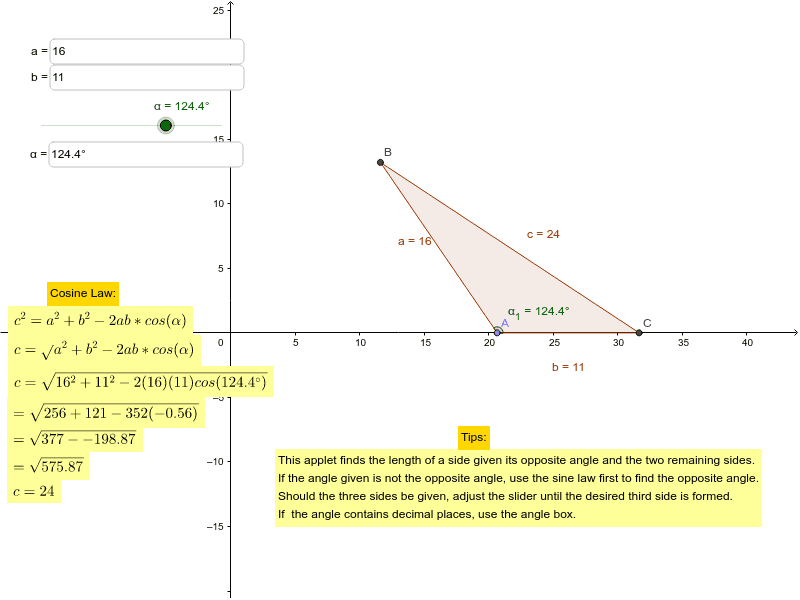
This example demonstrates the application of the Cosine Law in triangles, showing the dynamic relationship between side lengths and angles. Key math concepts include the Cosine Law, triangle geometry, and coordinate geometry. It uses GeoGebra commands/objects like Point, Line, Rotate, Angle, Circle, Intersect, Polygon, Distance. Suitable for high school mathematics teaching and geometric learning, helping to understand the geometric meaning of the Cosine Law.
GeoGebra Commands & Parameters
Textfield(a_2) → inputBox1Textfield(b_2) → inputBox2Point(xAxis) → ALine(A, Z) → c_1Rotate(D, α, A) → D'Angle(D, A, D') → α_1Line(A, D') → eCircle(A, a_2) → fCircle(A, b_2) → gIntersect(f, e) → Z_1, BIntersect(g, c_1) → F, CPolygon(A, C, B) → poly1, b, c, aDistance(a, b) → hDistance(A, B) → distanceAEDistance(A, C) → distanceAF2Distance(B, C) → distanceBCTextfield(α) → inputBox3