
Similar Triangles (Dilation)
Loading the math board and drawing, please wait…
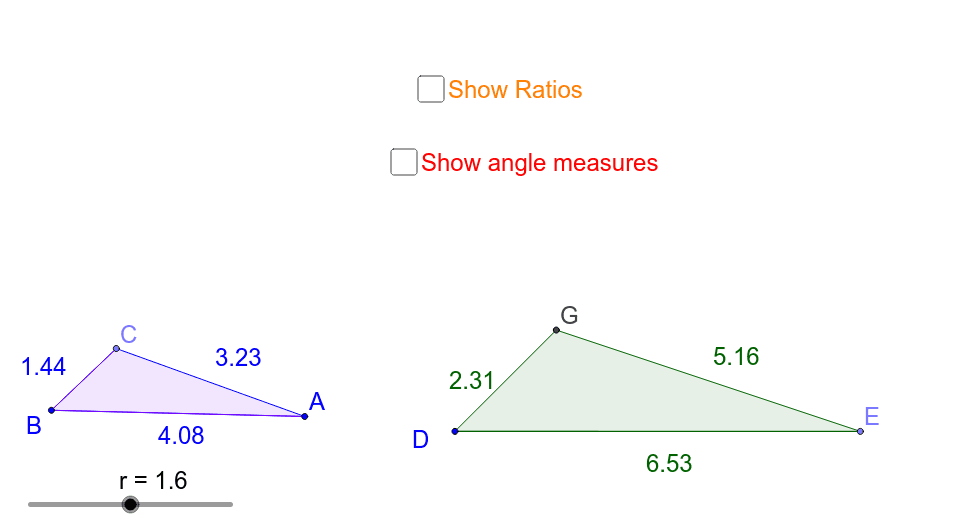
This example demonstrates the construction of similar triangles through dilation transformations. It involves core mathematical concepts such as similarity criteria, dilation transformations, and the proportional relationship between angles and side lengths. GeoGebra commands and objects used include Rotate, Angle, Line, Point, Segment, Polygon, Circle, and Intersect. Suitable for high school geometry learning to understand similarity and transformation relationships.
GeoGebra Commands & Parameters
Rotate(A, α, B) → A'Angle(A, B, A') → βLine(A', B) → aLine(B, A) → bPoint(a) → CSegment(B, C) → dSegment(B, A) → ePolygon(C, B, A) → poly1, a_1, c_1, b_1Point(Circle[D, abs(q)]) → ESegment(D, E) → cRotate(E, α, D) → E'Angle(E, D, E') → γLine(D, E') → fPoint(Circle[D, abs(p)]) → FSegment(D, F) → gCircle(D, F) → hIntersect(h, f, 2) → GPolygon(G, D, E) → poly2, e_1, g_1, d_1Angle(B, C, A) → δAngle(D, G, E) → εAngle(G, E, D) → ζAngle(C, A, B) → η
AI Drawing Prompt Reference
Draw two similar triangles showing a dilation transformation with a center point, demonstrating equal corresponding angles and proportional side lengths. Start by constructing a triangle, then rotate one vertex to the opposite side to form the second triangle, labeling key angles and sides, and use circles and intersections to illustrate the similarity relationship.
The prompt above was compiled from the original drawing commands and is for reference only.