
Function Machine for Multiplication and Division
Loading the math board and drawing, please wait…
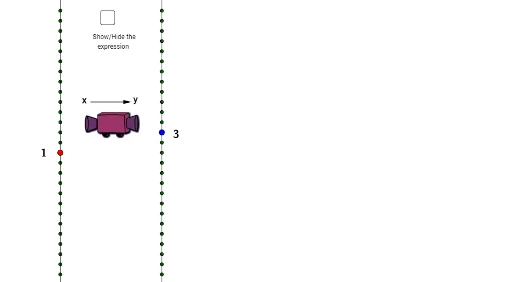
① This interactive GeoGebra example visualizes a 'function machine' that takes an input number, applies either multiplication or division, and produces an output, making the operation process tangible. ② Core math concepts include natural number multiplication and division, the inverse relationship between the two operations, and the fundamental idea of a function as a mapping from input to output. ③ Construction details: The applet uses GeoGebra commands such as Random, Segment, Point, Line, Sequence, and Vector to build the machine's visual components (objects like a, A, B, b, C, D, E, c, F), with text objects (text1, text2, etc.) displaying the operation, and sliders (divisionfactor, multordiv) controlling the operation type and factor. Lists list1 and list2 store input/output sequences, and pic1 may serve as a background image. ④ Suitable for upper elementary to middle school students (ages 8-13) to explore multiplication and division, understand function rules, and see how changing the factor alters results; also useful for teachers as a dynamic demonstration tool in classrooms.
GeoGebra Commands & Parameters
Random(-6, 6) → aSegment(A, B) → bPoint(b) → CLine(D, E) → cLine(B, A) → dSequence((x(B), w - 15), w, 0, tomakedots) → list1Sequence((x(E), w - 15), w, 0, tomakedots) → list2Random(1, 6) → divisionfactorRandom(1, 2) → multordivVector(I, J) → u
AI Drawing Prompt Reference
Create a function machine that takes an input number, applies either multiplication or division, and produces an output. Use a random number generator to create the multiplication or division factor and input/output sequences. Draw two lines to represent the input and output paths, and mark the sequences with points. Set a slider to control the operation type and factor, allowing users to dynamically change the operation.
The prompt above was compiled from the original drawing commands and is for reference only.