
Side-Side-Side Triangle Congruence (GeoGebra Construction)
Loading the math board and drawing, please wait…
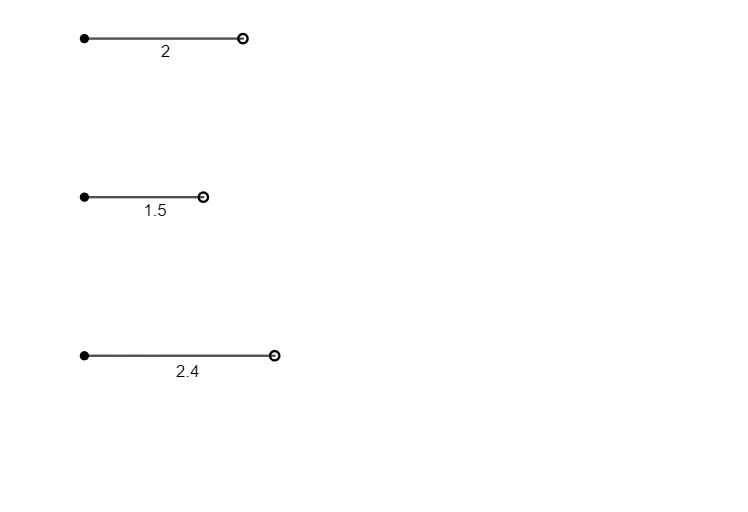
This GeoGebra example demonstrates how to construct triangles from three given side lengths and verifies the Side-Side-Side (SSS) triangle congruence criterion. The core mathematical concept is triangle congruence: if the three corresponding sides of two triangles are equal, then the triangles are congruent. Construction highlights: using the Point command to create points A, B, C, D, E, F, and the Segment command to draw segments f, g, h, forming two triangles with identical side lengths to visually confirm SSS congruence. Suitable for middle school geometry lessons, helping students grasp the SSS congruence rule, and useful for classroom demonstrations or independent student exploration.
GeoGebra Commands & Parameters
Point(Circle[A, 2]) → BSegment(A, B) → fPoint(Circle[C, 1.5]) → DSegment(C, D) → gPoint(Circle[E, 2.4]) → FSegment(E, F) → h
AI Drawing Prompt Reference
Draw a triangle by first drawing a circle with radius 2 at point A to get point B, then draw line segment AB. Next, draw a circle with radius 1.5 at point C to get point D, and draw line segment CD. Then, draw a circle with radius 2.4 at point E to get point F, and draw line segment EF. This will form two triangles with identical side lengths, which can be used to verify the SSS triangle congruence criterion.
The prompt above was compiled from the original drawing commands and is for reference only.