
Side Relationships in a Parallelogram
Loading the math board and drawing, please wait…
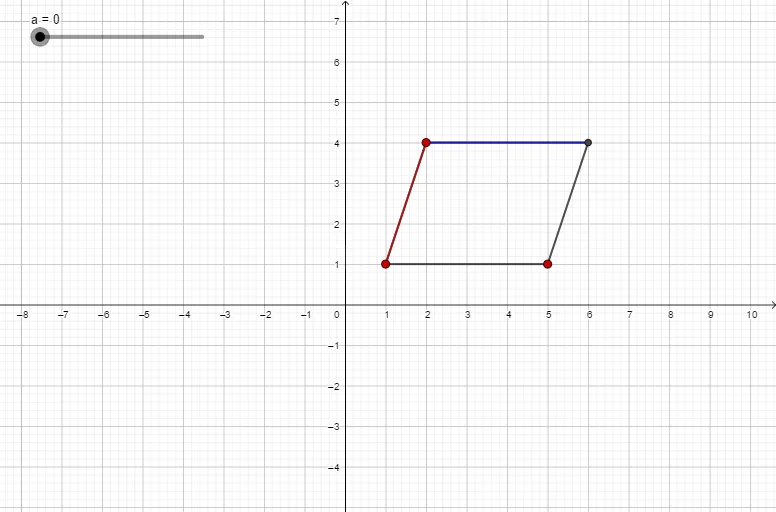
① This example demonstrates the geometric property that opposite sides of a parallelogram are parallel and equal, dynamically showing how the relationships persist when vertices are dragged. ② Core mathematical concepts include the definition of a parallelogram, opposite‑side parallelism and congruence, vector translation, and proof of quadrilateral properties. ③ Construction highlights: GeoGebra commands Segment, Line, and Intersect create vertices A, B, C, D and edges f, g, h, i, j, k, a, l, m; dragging vertices reveals the invariant side relationships. ④ Suitable for middle‑school geometry (grade 7) lessons on parallelograms, as well as high‑school analytic geometry review or geometric construction practice.
GeoGebra Commands & Parameters
Segment(C, A) → fSegment(A, B) → gLine(B, f) → hLine(C, g) → iIntersect(h, i) → DSegment(C, D) → jSegment(D, B) → kSegment(Translate[C, Vector[(a * Vector[A, B])]], Translate[A, Vector[(a * Vector[A, B])]]) → lSegment(Translate[C, Vector[(a * Vector[C, A])]], Translate[D, Vector[(a * Vector[C, A])]]) → m
AI Drawing Prompt Reference
Draw a parallelogram to demonstrate that its opposite sides are parallel and equal in length. Dynamically drag the vertices to observe how the side relationships remain invariant. Start by connecting the vertices with line segments to form the four edges, then draw two lines through the vertices that are parallel to the opposite sides, intersecting at a new point which becomes the fourth vertex. Finally, connect this new vertex to the original vertices to complete the parallelogram.
The prompt above was compiled from the original drawing commands and is for reference only.