
Sequence Fidget Spinner: Dynamic Sequence & Geometry Interaction
Loading the math board and drawing, please wait…
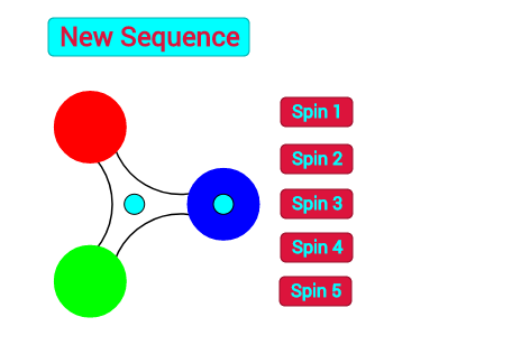
① This example presents an interactive 'fidget spinner' style interface that dynamically illustrates the generation and variation of sequences, combining abstract sequence concepts with intuitive geometric visuals. ② Core mathematical concepts include arithmetic sequences, arithmetic operations, variance, fractions, and introductory hypothesis testing, along with geometric elements such as trapezoids and circumcircle arcs. ③ Construction highlights: Using GeoGebra commands such as If, Circle, Intersect, Midpoint, CircumcircleArc, and Textfield, the applet incorporates multiple buttons (button1 to button6) and sliders (r, f, d, a, h, α, m, n) to control sequence terms and geometric objects (points A-Q, segments, circles, arcs) in a linked dynamic manner. ④ Suitable for middle and high school mathematics (grades 8-12) for teaching sequences, exploring algebra-geometry connections, and for teacher demonstrations or student self-directed investigation of sequence patterns and geometric properties.
GeoGebra Commands & Parameters
If(a ≟ 1, list_{arithmetic}, a ≟ 2, list_{geometric}) → list1Circle((0, 0), 1) → uCircle(P, 1.73) → cIntersect(c, u) → A, B, ,Midpoint(A, B) → DMidpoint(A, P) → EMidpoint(B, P) → FMidpoint(D, C) → GMidpoint(E, C) → HMidpoint(C, F) → ICircle(B, 0.25) → d_2Circle(P, 0.25) → eCircle(A, 0.25) → g_2Intersect(d_2, u) → J, K, ,Intersect(u, g_2) → L, M, ,Intersect(e, u) → O, Q, ,CircumcircleArc(M, G, K) → h_2CircumcircleArc(J, I, Q) → kCircumcircleArc(O, H, L) → pCircle(P, 0.4) → qCircle(B, 0.4) → tCircle(A, 0.4) → c_1Circle(N, 1.73) → d_1Intersect(d_1, u) → R, S, ,Circle(N, 0.25) → e_1Circle(S, 0.25) → f_1Circle(R, 0.25) → g_1Intersect(u, f_1) → T, U, ,Intersect(g_1, u) → V, W, ,Intersect(e_1, u) → Z, A_1, ,Midpoint(S, R) → B_1Midpoint(R, N) → C_1Midpoint(N, S) → D_1Midpoint(B_1, C) → E_1Midpoint(C_1, C) → F_1Midpoint(D_1, C) → G_1CircumcircleArc(T, E_1, V) → h_1CircumcircleArc(W, F_1, Z) → k_1CircumcircleArc(A_1, G_1, U) → p_1Circle(S, 0.4) → s_1Circle(R, 0.4) → r_1Circle(N, 0.4) → q_1Textfield(g) → InputBox1Textfield(g) → InputBox2Textfield(g) → InputBox3Textfield(g) → InputBox4Textfield(g) → InputBox5
AI Drawing Prompt Reference
Draw a dynamic fidget-spinner style geometric figure: start with a unit circle, place three equally spaced main points on its circumference, and construct circles of varying radii centered at these points and the center, creating overlapping circle families. Place small circles at intersection points as nodes, and connect adjacent nodes with three circular arcs to form rotating symmetric blades. The overall figure includes multiple concentric circles, intersection points, small circles, and arcs, exhibiting three-fold rotational symmetry, with several input boxes for parameter adjustment.
The prompt above was compiled from the original drawing commands and is for reference only.