
Fractions - Naming: Interactive Visual Learning of Numerators and Denominators
Loading the math board and drawing, please wait…
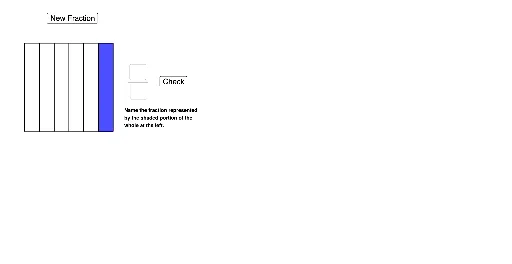
This GeoGebra example demonstrates how to name fractions using interactive visual representations, turning abstract fraction concepts into tangible operations. It focuses on the core mathematical ideas of fraction structure (numerator and denominator), part-whole relationships, and the correspondence between fractions and shaded areas of shapes like circles and rectangles. The construction uses commands such as Random to generate random fractions, Circle, Polygon, and Segment to build partitioned shapes, Rotate and Sequence to create equal wedges, and Textfield, Button, and CheckIt objects for user input and instant feedback. It is suitable for upper elementary or early middle school students learning fraction basics, and serves as an engaging tool for classroom demonstrations or self-paced exploration of fraction naming and equal partitioning.
GeoGebra Commands & Parameters
Random(1, 7) → WhichShapeCircle(A, radius) → cOrthogonalLine(A, xAxis) → fIntersect(c, f, 2) → BSequence(Rotate[B, (AngleOfRotation * i), A], i, 0, NumberOfWedges) → WedgeDotsSequence(Segment[Element[WedgeDots, i], Element[WedgeDots, i + 1]], i, 1, NumberOfWedges) → EdgesSequence(Segment[A, Element[WedgeDots, i]], i, 1, NumberOfWedges) → InternalLinesRandom(1, NumberOfWedges) → NumeratorSequence(Polygon[A, Element[WedgeDots, i], Element[WedgeDots, i + 1]], i, 1, Numerator) → ShadedWedgesElement(Colors, Random[1, 5]) → ColorPickedTextfield(GetNumerator) → aa2InputNumeratorTextfield(GetDenominator) → aa3InputDenominatorSegment(C, C + (FractionBarLength, 0)) → gSegment(G, D) → hSegment(F, E) → iSegment(D, E) → jSegment(G, F) → kSequence(D + (0, (StripWidth * i)), i, 0, Denominator) → LeftDotsSequence(E + (0, (StripWidth * i)), i, 0, Denominator) → RightDotsSequence(Segment[Element[LeftDots, i], Element[RightDots, i]], i, 1, Denominator + 1) → HorizontalLinesPolygon(Element[LeftDots, 1], Element[RightDots, 1], Element[RightDots, Numerator + 1], Element[LeftDots, Numerator + 1]) → ShadedHorizontal, l, m, n, pRotate(HorizontalLines, 90°, (D + F) / 2) → VerticalLinesRotate(ShadedHorizontal, 90°, (D + F) / 2) → ShadedVertical