
Sector Area (Degrees) Visualization with the Unit Circle
Loading the math board and drawing, please wait…
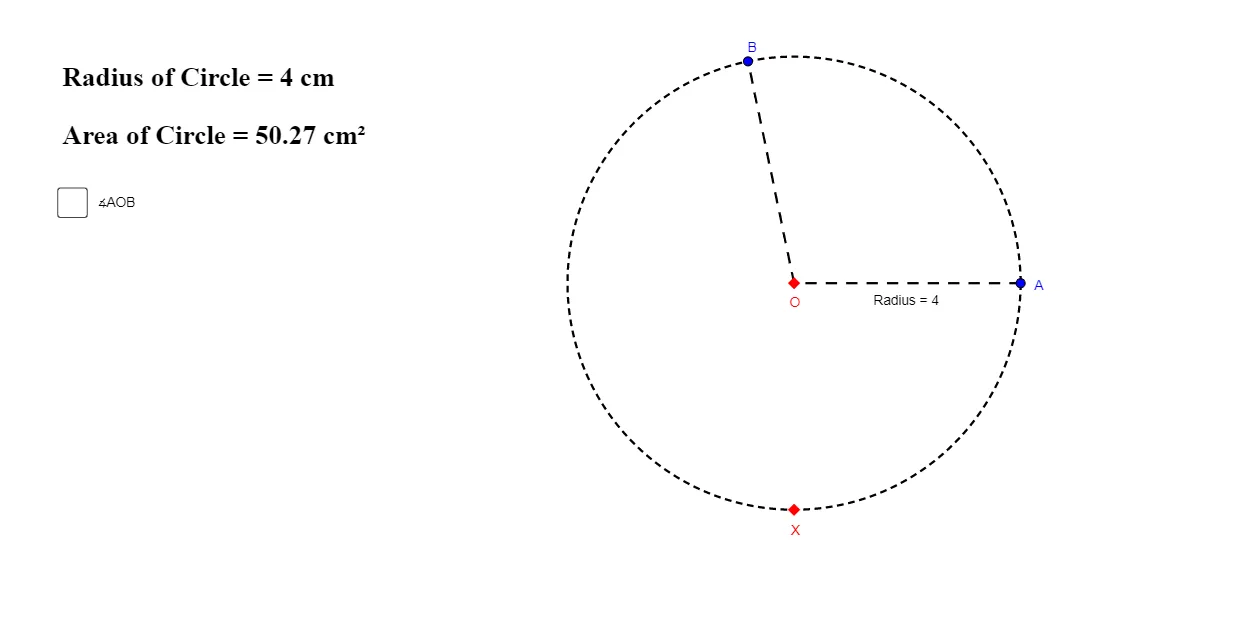
This example visualizes how the area of a circular sector changes as the central angle varies when the angle is measured in degrees. It highlights the geometric relationship between sector area, arc length, and the full circle: Area = (θ/360°)·πr², and corresponding proportionality between sector area and the circle’s circumference (or between arc length and circumference). The construction uses GeoGebra commands to draw a circle (Circle), place key points (Point), define the radius and central angle (Segment, Angle), create the arc/sector boundary (CircleArc, CircleSector), and compute quantitative results (Area for sector area, Length for arc length, Circumference for the full circle). Labeled objects (e.g., Sector, SectorArea) and text readouts report the computed area and related values. Suitable for secondary-level geometry lessons and early college instruction, especially for building intuition with the unit circle and degree-based angle measurements.
GeoGebra Commands & Parameters
Circle(O, X) → cPoint(c) → APoint(c) → BSegment(A, O) → RadiusSegment(O, B) → bCircleArc(O, A, B) → dAngle(A, O, B) → θCircleSector(O, A, B) → eArea(c) → AreaLength(d) → ArcCircumference(c) → CircumferenceArea(e) → Sector
AI Drawing Prompt Reference
Draw a unit circle centered at the origin. Place two points on the circle and connect each to the center with a radius, forming a central angle between the two radii. Draw an arc connecting the two points on the circle, and shade the sector bounded by the arc and the two radii. Label the central angle measure, and display the sector area, arc length, and the full circle's area and circumference. As the central angle changes, show that the sector area is proportional to the angle divided by 360 degrees times the circle's area.
The prompt above was compiled from the original drawing commands and is for reference only.