
Inscribed Angles in a Semicircle: A GeoGebra Check of the Conjecture
Loading the math board and drawing, please wait…
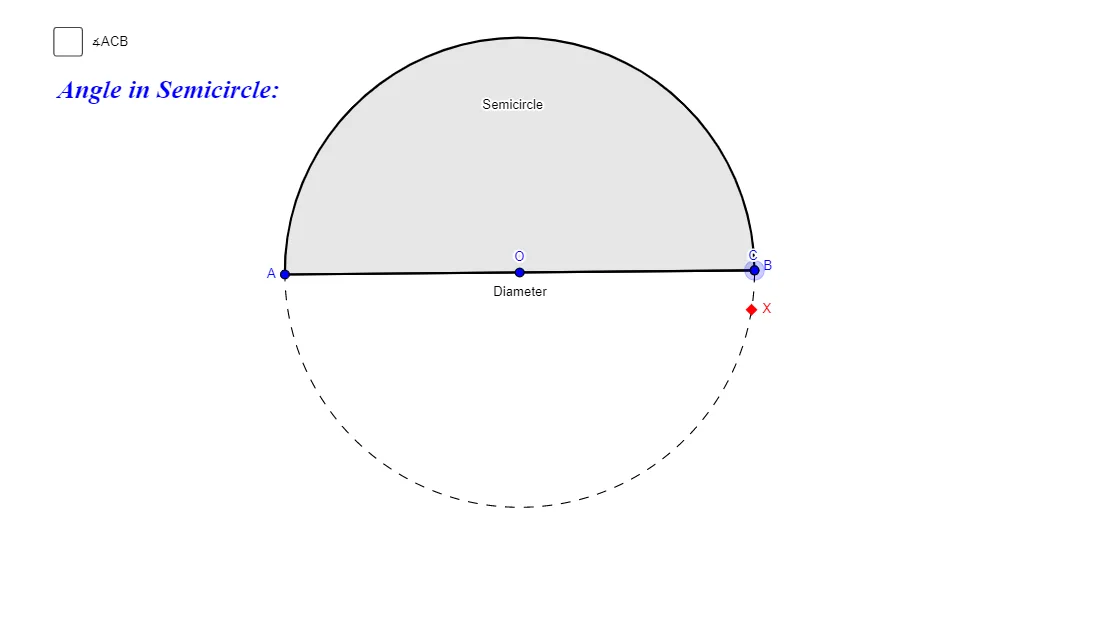
This example uses GeoGebra to explore how inscribed angles formed inside a semicircle behave when selecting different points on the semicircular arc, illustrating and testing the “inscribed angles in a semicircle” conjecture-style relationship. It highlights core concepts such as circles and semicircles, inscribed (circle) angles, properties tied to the diameter, and angle invariance or consistent angle measures under configuration changes. Construction follows the provided GeoGebra commands: Circle and Point to create the base circle and key points (e.g., O, X, A, B, C), Line plus Intersect to locate relevant intersections and the diameter, Semicircle to restrict the working region to a half-circle, Segment to form angle-defining chords/rays, and Angle to compute/label the resulting angles (e.g., α and β). Diameter is included as a geometric reference. Suitable for secondary school geometry, inquiry-based learning, and classroom demonstrations of angle theorems in circles.
GeoGebra Commands & Parameters
Circle(O, X) → cPoint(c) → ALine(A, O) → aIntersect(c, a, 2) → BSemicircle(A, B) → SemicirclePoint(Semicircle) → CSegment(A, C) → bSegment(B, C) → eAngle(A, C, B) → αSegment(A, B) → Diameter
AI Drawing Prompt Reference
Draw a circle defined by a center O and a radius point X, then choose a point A on the circle. Draw the line through A and O, and let it intersect the circle again at point B. Construct the semicircle with endpoints A and B, and select a point C on that semicircular arc. Connect C to A and C to B to form the two chords, and mark the inscribed angle α at C determined by the rays CA and CB. Also include the segment AB as a diameter reference to compare how the angle behaves as C moves along the semicircle.
The prompt above was compiled from the original drawing commands and is for reference only.