
Scalar Multiplication of Vectors
Loading the math board and drawing, please wait…
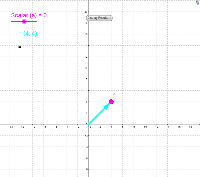
This applet dynamically demonstrates scalar multiplication of vectors, helping students understand the changes in vector length and direction. It uses basic objects like vectors, points, and segments, adjusting the scalar value with a slider to visually show vector transformations. Suitable for middle school and above students learning vector geometry.
GeoGebra Commands & Parameters
Intersect(xAxis, yAxis) → OSegment(O, A) → a_2Point(a_2) → CVector(C, A) → u
AI Drawing Prompt Reference
Draw a coordinate system with x and y axes, mark their intersection as the origin. Draw a line segment from the origin to the right and slightly above, place a point at the end of the segment, and draw a vector from this point to the end of the segment. Use a slider to adjust the length of the vector, demonstrating the scalar multiplication of vectors.
The prompt above was compiled from the original drawing commands and is for reference only.