
Rotational Symmetry of an Equilateral Triangle by GreenMaths
Loading the math board and drawing, please wait…
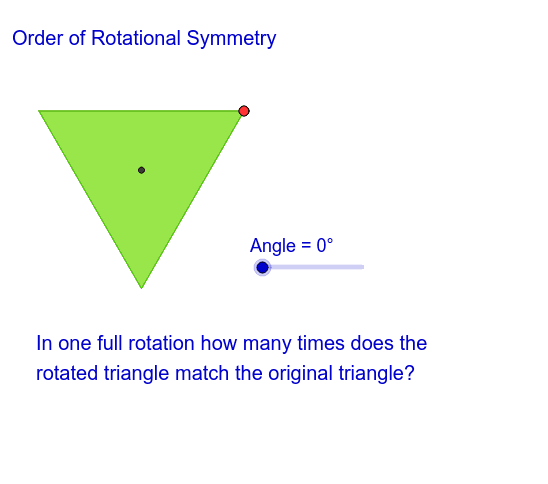
This example demonstrates the rotational symmetry of an equilateral triangle. Key math concepts include symmetry, geometric transformations, and rotation angles. Construction highlights involve commands like Rotate, Angle, Segment, LineBisector, Intersect, Circle, and Polygon. Suitable for middle school and above students learning rotational symmetry in geometric transformations.
GeoGebra Commands & Parameters
Rotate(A, 59.99999999999999°, B) → A'Angle(A, B, A') → αSegment(B, A) → aSegment(B, A') → bRotate(B, 300.00000000000006°, A) → B'Angle(B, A, B') → βSegment(A, B') → cLineBisector(a) → dLineBisector(c) → eIntersect(d, e) → CCircle(C, A) → fPolygon(A, A', B) → poly1, b_1, a_1, a'Rotate(A, Angle, C) → A'_1Rotate(A', Angle, C) → A''Rotate(B, Angle, C) → B'_1Polygon(A'_1, A'', B'_1) → poly1', b'_1, a'_1, a''
AI Drawing Prompt Reference
Draw an equilateral triangle and demonstrate its rotational symmetry. Rotate one vertex of the triangle around another vertex by about 60 degrees to get a new vertex. Connect these two vertices to form a line segment. Then, rotate the other vertex around the first vertex by about 300 degrees to get another new vertex. Connect these two vertices to form another line segment. Finally, find the angle bisectors of the two line segments and their intersection point, which is the third vertex of the triangle. Draw a circle with the intersection point as the center and the radius equal to the distance from the center to one vertex of the triangle. Show the original and rotated triangles along with the circle to illustrate the rotational symmetry.
The prompt above was compiled from the original drawing commands and is for reference only.