
Order of Rotational Symmetry of Regular Polygons by GreenMaths
Loading the math board and drawing, please wait…
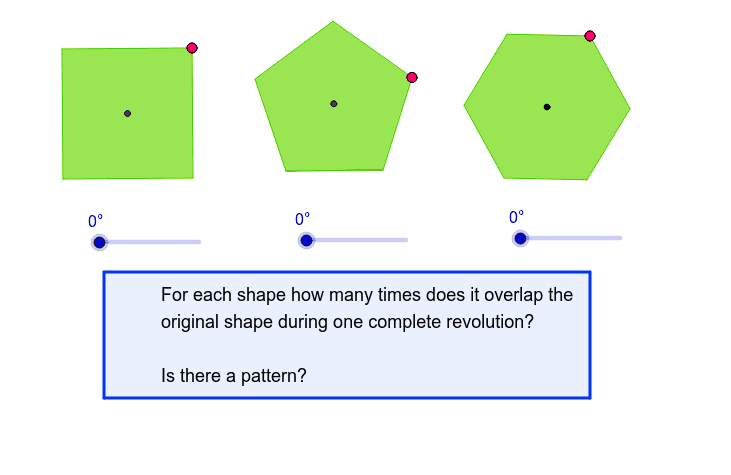
This example demonstrates the order of rotational symmetry of regular polygons. Key mathematical concepts include rotational symmetry and polygon geometry. Using GeoGebra commands such as Polygon and Rotate, you can construct regular polygons and observe their rotational symmetry. Suitable for middle school and above students or teachers.
GeoGebra Commands & Parameters
Line(A, B) → aOrthogonalLine(A, a) → bOrthogonalLine(B, a) → cCircle(A, B) → dIntersect(d, b, 2) → COrthogonalLine(C, b) → eIntersect(e, c) → DPolygon(A, B, D, C) → P, a_1, b_1, d_1, c_1Midpoint(C, B) → ESegment(F, G) → fOrthogonalLine(G, f) → gCircle(G, F) → hIntersect(h, g, 1) → HCircle(H, G) → kIntersect(k, g, 2) → ISegment(F, I) → iCircle(F, I) → pLine(G, F) → jIntersect(p, j, 2) → JMidpoint(J, G) → KSegment(J, K) → lCircle(F, l) → qCircle(G, l) → rIntersect(r, q, 1) → LSegment(F, L) → mSegment(L, G) → nAngularBisector(F, G, L) → sAngularBisector(L, F, G) → tIntersect(r, s, 2) → MIntersect(q, t, 1) → NPolygon(M, L, N, G, F) → Q, m_1, l_1, n_1, g_1, f_1Segment(O, R) → e_1Circle(O, R) → h_1Circle(R, O) → k_1Ray(O, R) → i_1Intersect(k_1, i_1, 2) → SCircle(S, R) → p_1Intersect(k_1, h_1, 2) → TIntersect(p_1, k_1, 2) → UIntersect(p_1, k_1, 1) → VIntersect(k_1, h_1, 1) → WPolygon(T, U, S, V, W, O) → Y, t_1, u, s_1, v, w, oMidpoint(M, L) → ZMidpoint(L, N) → A_1Segment(F, A_1) → j_1Segment(Z, G) → q_1Intersect(q_1, j_1) → B_1Rotate(A, α, E) → A'Rotate(B, α, E) → B'Rotate(D, α, E) → D'Rotate(C, α, E) → C'Polygon(A', B', D', C') → P', a', b', d', c'Rotate(M, β, B_1) → M'Rotate(L, β, B_1) → L'Rotate(N, β, B_1) → N'Rotate(G, β, B_1) → G'Rotate(F, β, B_1) → F'Polygon(M', L', N', G', F') → Q', m', l', n', g', f'Rotate(T, γ, R) → T'Rotate(U, γ, R) → U'Rotate(S, γ, R) → S'Rotate(V, γ, R) → V'Rotate(W, γ, R) → W'Rotate(O, γ, R) → O'Polygon(T', U', S', V', W', O') → Y', t', u', s', v', w', o'Polygon(C_1, D_1, E_1, F_1) → poly1, c_2, d_2, e_2, f_2
AI Drawing Prompt Reference
Draw a regular polygon and demonstrate its rotational symmetry. Start by drawing a line segment, then create two perpendicular lines from its endpoints. Draw a circle with the segment as the diameter, intersecting the perpendicular lines to form the first polygon. Next, draw a circle based on one side of the polygon, and create two perpendicular lines from the circle's center to form the second polygon. Finally, connect the two polygons and label the axis of rotational symmetry.
The prompt above was compiled from the original drawing commands and is for reference only.