
Rotational Symmetry of a Square by youngcar
Loading the math board and drawing, please wait…
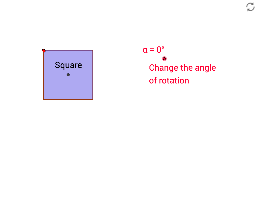
This example demonstrates the rotational symmetry of a square: rotating the square about its center by 90°, 180°, and 270° maps it onto itself. Core mathematical concepts include properties of squares, rotation transformations, symmetry axes and centers, and angle measurement. Construction highlights: the figure is built with GeoGebra commands Segment, OrthogonalLine, Point, Intersect, Polygon, Circle, Line, Rotate, Mirror, and PointIn, creating vertices A, B, C, D, center O, their rotated images A', B', C', D', and auxiliary objects such as polygon poly2, circles, and lines. Suitable for middle‑school geometry lessons on rotational symmetry, high‑school geometric construction practice, or teacher‑created instructional material.
GeoGebra Commands & Parameters
Segment(A, B) → aOrthogonalLine(A, a) → bOrthogonalLine(B, a) → cPoint(b) → COrthogonalLine(C, b) → dIntersect(c, d) → DSegment(C, B) → eSegment(D, A) → fIntersect(e, f) → EPolygon(F, G, 4) → poly2, f_1, g, h, i, H, ISegment(I, G) → jSegment(H, F) → kIntersect(j, k) → JSegment(K, L) → lCircle(K, L) → pPoint(p) → MSegment(K, M) → mLine(M, l) → nLine(L, m) → qIntersect(n, q) → NSegment(M, L) → rSegment(N, K) → sIntersect(r, s) → ORotate(C, (-α), E) → C'Rotate(D, (-α), E) → D'Rotate(B, (-α), E) → B'Rotate(A, (-α), E) → A'Polygon(C', D', B', A') → poly1', c', d', b', a'Rotate(M, (-α), O) → M'Rotate(N, (-α), O) → N'Rotate(L, (-α), O) → L'Rotate(K, (-α), O) → K'Polygon(M', N', L', K') → poly3', m', n', l', k'Segment(P, Q) → tSegment(P, R) → e_1Line(Q, e_1) → g_1Line(R, t) → h_1Intersect(g_1, h_1) → SSegment(R, Q) → i_1Segment(S, P) → j_1Intersect(i_1, j_1) → TRotate(P, (-α), T) → P'Rotate(R, (-α), T) → R'Rotate(S, (-α), T) → S'Rotate(Q, (-α), T) → Q'Polygon(P', R', S', Q') → poly4', p', r', s', q'Segment(U, V) → t_1Line(W, t_1) → b_2Point(b_2) → ZSegment(W, V) → d_2Segment(Z, U) → e_2Intersect(d_2, e_2) → A_1Rotate(U, (-α), A_1) → U'Rotate(V, (-α), A_1) → V'Rotate(Z, (-α), A_1) → Z'Rotate(W, (-α), A_1) → W'Line(B_1, C_1) → f_2Mirror(D_1, f_2) → E_1Segment(D_1, E_1) → g_2Intersect(f_2, g_2) → F_1Rotate(D_1, (-α), F_1) → G_1Rotate(B_1, (-α), F_1) → H_1Rotate(E_1, (-α), F_1) → I_1Rotate(C_1, (-α), F_1) → J_1Polygon(G_1, H_1, I_1, J_1) → poly6', g_3, h_2, i_2, j_2Rotate(poly2, (-α), J) → poly2'Intersect(h, i) → L_1PointIn(poly2') → K_1
AI Drawing Prompt Reference
Draw a square that maps onto itself when rotated by 90°, 180°, and 270°. The figure includes the four vertices A, B, C, D, the center O, and the rotated vertices A', B', C', D'. Add auxiliary circles and lines to highlight symmetry. The construction order is to draw the square and center first, then rotate the vertices, and finally add auxiliary elements to emphasize symmetry.
The prompt above was compiled from the original drawing commands and is for reference only.