
Rotational Model Cross Sections
Loading the math board and drawing, please wait…
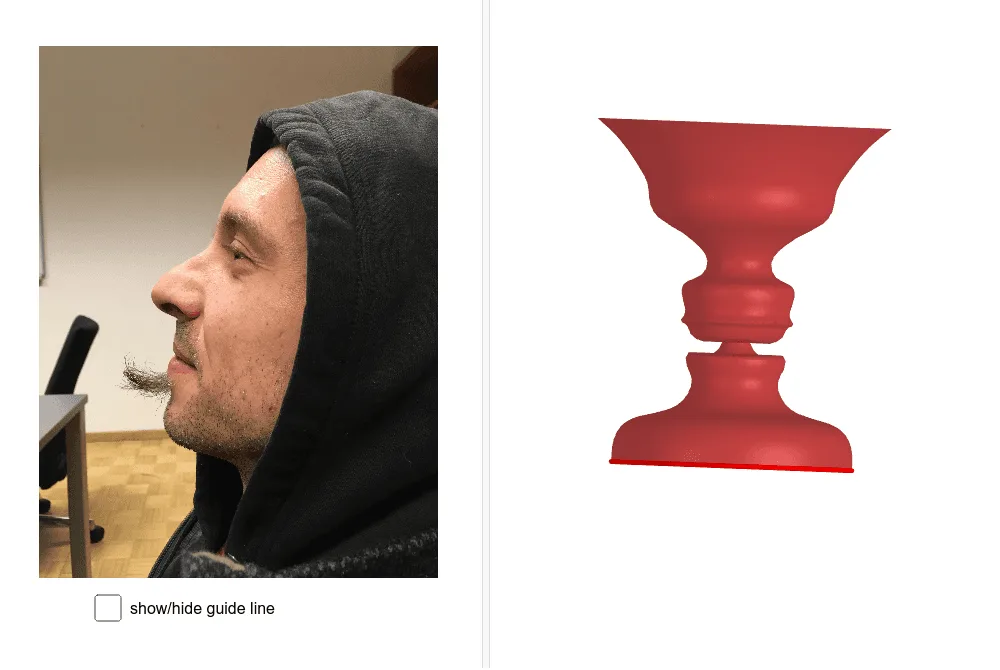
This example demonstrates the geometric transformations and cross-sectional shapes formed by rotating 3D models. It involves core math concepts like rotation, volume calculation, probability basics, logarithms, dilation, fractions, and incircle properties. Constructed using GeoGebra commands such as Spline, CurveCartesian, Surface, OrthogonalPlane, OrthogonalLine, Intersect, Segment, and Circle with objects like C, J_1, B_1, etc. Ideal for high school solid geometry and introductory mathematical modeling education.
GeoGebra Commands & Parameters
Spline({A, B, B_1, B_2, B_3, C, C_1, C_2, C_3, D, D_1, D_2, D_3, E, E_1, E_2, E_3, E_4, F, F_1, F_2, F_3, G, H, I, J, J_1, J_2, J_3, U}, 3) → aCurveCartesian(a(t / d), t, 0, d) → cSurface(c, (2 * π), yAxis) → bOrthogonalPlane(U, yAxis) → eOrthogonalLine(U, yAxis) → fIntersect(f, yAxis) → VSegment(V, U) → gCircle(V, g, yAxis) → h
AI Drawing Prompt Reference
Create a 3D model's rotational cross-section to demonstrate geometric transformations and cross-sectional shapes formed by rotation. Start by drawing a cubic spline through several points, then generate the surface of revolution for this curve. Next, create an orthogonal plane and line at a specified point, find their intersection, and connect this point to another specified point. Finally, draw a circle with the line segment as the radius and the intersection point as the center, on the Y-axis.
The prompt above was compiled from the original drawing commands and is for reference only.