
Rotation Transformation Investigation by Nick Kochis
Loading the math board and drawing, please wait…
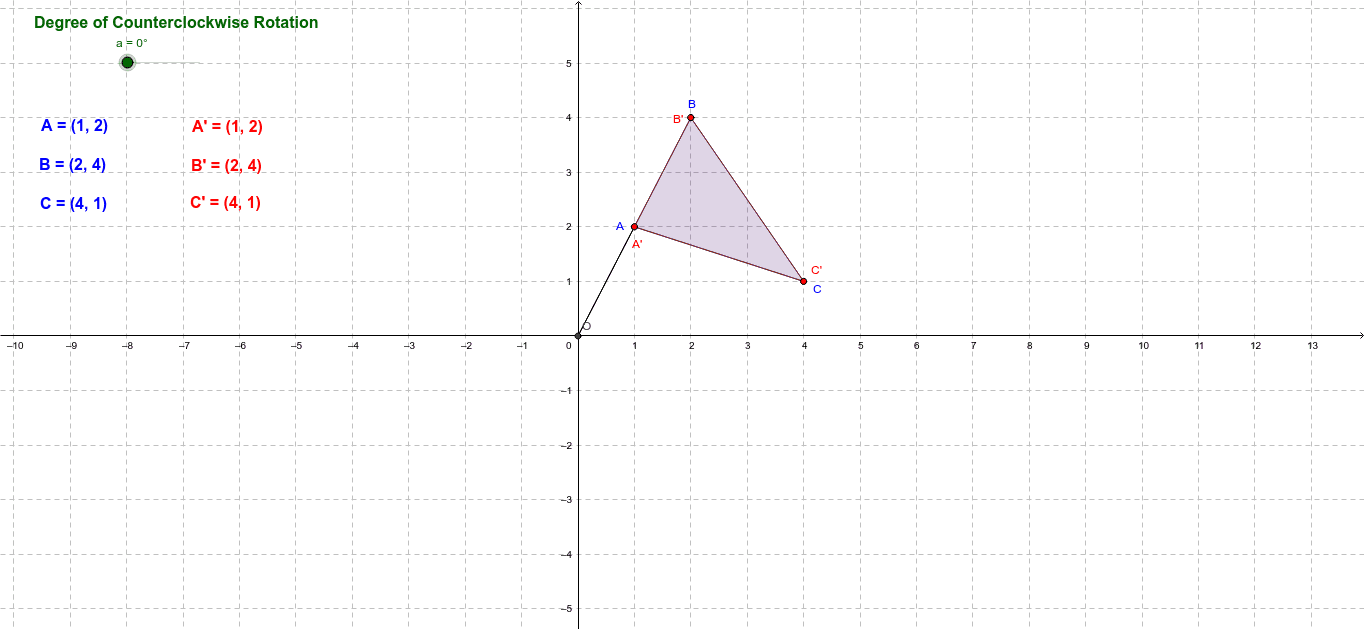
This example demonstrates the process and properties of rotating polygons in a plane. It involves core mathematical concepts such as geometric transformations, angles, polygon construction, and intersection calculations. The construction uses GeoGebra commands like Polygon, Intersect, Rotate, Segment, and Angle. Suitable for middle school and high school students learning geometric transformations or for use in high school mathematics teaching to illustrate the application of rotation transformations.
GeoGebra Commands & Parameters
Polygon(A, B, C) → poly1, c, a_1, bIntersect(xAxis, yAxis) → ORotate(A, a, O) → A'Rotate(B, a, O) → B'Rotate(C, a, O) → C'Polygon(A', B', C') → poly1', c', a', b'Segment(A, O) → dSegment(O, A') → eAngle(A, O, A') → α
AI Drawing Prompt Reference
Create a triangle, then rotate it around the origin by a certain angle to produce a second triangle. Draw line segments from the origin to one vertex of the original triangle and to its rotated image, and mark the angle between these segments.
The prompt above was compiled from the original drawing commands and is for reference only.