
Rotation Tessellation Step 2
Loading the math board and drawing, please wait…
In collections
Rotation Tessellation
This example demonstrates the process of tessellating isosceles trapezoids into a rotational pattern through rotation transformations. Key math concepts include rotation, isosceles trapezoids, congruent triangles, and tiling patterns. Construction involves commands like Polygon and Segment in GeoGebra. Suitable for middle school students and above to explore geometric transformations and the principles of tessellations.
GeoGebra Commands & Parameters
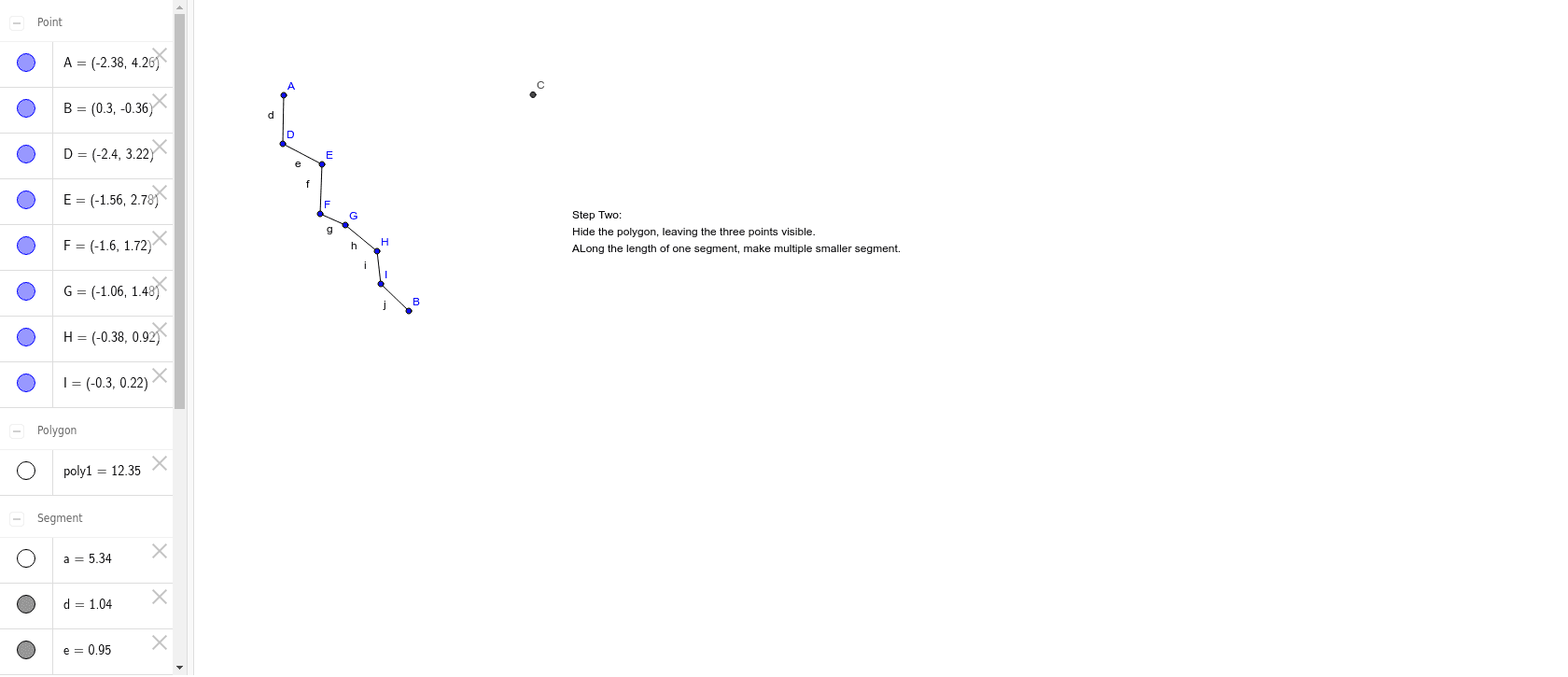
Polygon(A, B, 3) → poly1, a, b, c, CSegment(A, D) → dSegment(D, E) → eSegment(E, F) → fSegment(F, G) → gSegment(G, H) → hSegment(H, I) → iSegment(I, B) → j
AI Drawing Prompt Reference
Draw a tessellation pattern made of isosceles trapezoids arranged in a rotational symmetry. Start with one isosceles trapezoid, having a longer bottom base, a shorter top base parallel to it, and equal legs. Then rotate this trapezoid around one of its vertices by a fixed angle, such as 60 or 120 degrees, so that the rotated trapezoid shares a side with the original. Continue rotating the trapezoid repeatedly around the same center point, placing each new trapezoid adjacent to the previous one without gaps or overlaps, until they form a complete circular ring. Ensure all trapezoids are congruent and the rotation angles are equal, creating a symmetric, tiled geometric design.
The prompt above was compiled from the original drawing commands and is for reference only.