
Rotation in Coordination Plane
Loading the math board and drawing, please wait…
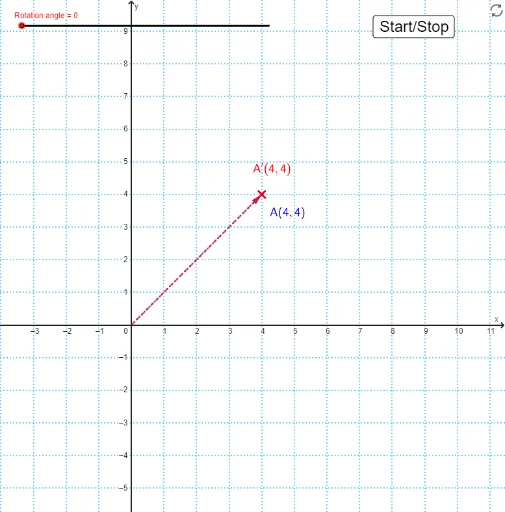
This example demonstrates how to perform rotational transformations on shapes within a coordinate system. Core math concepts include rotation, median value, unit circle, power functions, combinatorics, and random variables. It utilizes GeoGebra commands like Rotate, Vector, Intersect, Polygon, Circle, and If to construct the transformation. Suitable for high school and above students to understand and practice rotational transformations in coordinate geometry and their applications.
GeoGebra Commands & Parameters
Rotate(A, (turn * π / 180), (0, 0)) → A'Vector(A) → a_1Vector(A') → a_2Intersect(xAxis, yAxis) → OPolygon(A, B, O) → t1, o, a, bPolygon(A', B', O) → t2, o_1, a', b'Circle(O, Length[a_1]) → cIf(turn ≟ 90 ∨ turn ≟ 180 ∨ turn ≟ 270, true) → ra
AI Drawing Prompt Reference
In a coordinate plane, draw a triangle with one vertex at the origin and the other two vertices on the axes. Rotate this triangle around the origin by a specified angle, such as 90, 180, or 270 degrees, and show both the original and rotated triangles. Construct a circle centered at the origin with radius equal to the distance from the origin to a vertex of the original triangle, so that it passes through the corresponding vertices of both triangles. Draw two vectors from the origin to the original vertex and to its rotated image to indicate the rotation. Highlight the rotation when the angle is 90, 180, or 270 degrees.
The prompt above was compiled from the original drawing commands and is for reference only.