
Rotation in Cartesian Plane
Loading the math board and drawing, please wait…
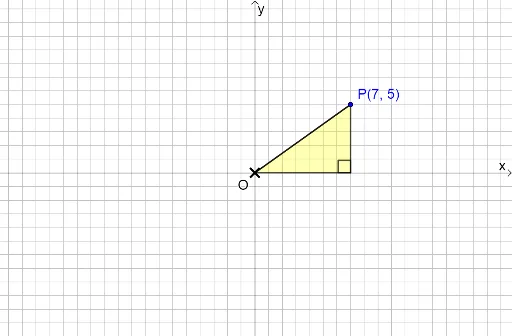
This example demonstrates the rotation process in the Cartesian plane. Key mathematical concepts include rotation, ellipse, and median line. Using GeoGebra commands such as DynamicCoordinates, Rotate, and CircleArc, the rotation effect is dynamically shown. Suitable for high school mathematics education, particularly in coordinate geometry and transformation.
GeoGebra Commands & Parameters
DynamicCoordinates(P0, round(x(P0)), round(y(P0))) → PPoint(yAxis) → ORotate(P, 360° - δ, O) → R4'Rotate(P, 270° + δ, O) → R4CircleArc(O, R4, R4') → c4Rotate(P, 180° + δ, O) → R3Rotate(P, 90° + δ, O) → R2Rotate(P, 270° - δ, O) → R3'CircleArc(O, R3, R3') → c3Rotate(P, 180° - δ, O) → R2'CircleArc(O, R2, R2') → c2Rotate(P, δ, O) → R1Rotate(P, 90° - δ, O) → R1'CircleArc(O, R1, R1') → c1Point(xAxis) → BPoint({P, c1, Rotate[P, 90°, O], c2, Rotate[P, 180°, O], c3, Rotate[P, 270°, O], c4}) → P'Angle(P, O, P') → αRotate(Q, α, O) → Q'Polygon(O, Q', P') → t1, p', o, q'Polygon(O, Q, P) → t2, p, o_1, qAngle(P, Q, O) → βAngle(P', Q', O) → γIf(P' ≟ P, false, true) → rotatedAngle(P, O, P') → ε
AI Drawing Prompt Reference
Draw a Cartesian coordinate system with point P rotating around the origin O to form four different angle points R1, R2, R3, and R4. Each point creates an arc c1, c2, c3, and c4 with O and P. Then, rotate P to get point P', and calculate angles α, β, and γ. Finally, draw two triangles t1 and t2.
The prompt above was compiled from the original drawing commands and is for reference only.