
Rotation in Action
Loading the math board and drawing, please wait…
In collections
Mathematics Form 2
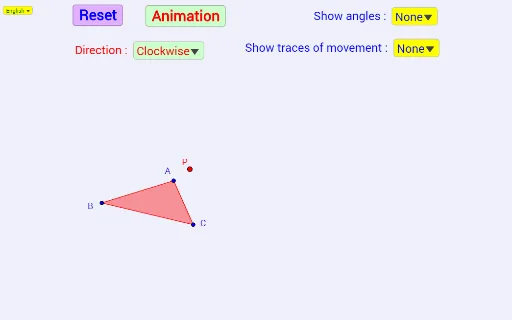
This example demonstrates the rotation of shapes in a coordinate system. It involves core mathematical concepts such as angles, rotation, trigonometry, special points, curve sketching, rational numbers, and percentages. The construction utilizes GeoGebra commands and objects like SelectedIndex, If, Polygon, Rotate, and Segment. It is suitable for high school students learning about geometric transformations and trigonometric functions.
GeoGebra Commands & Parameters
SelectedIndex(Bahasa) → nnIf(nn ≟ 1, {"Clockwise", "Anticlockwise"}, {"Ikut jam", "Lawan jam"}) → ArahSelectedIndex(Arah) → mIf(m ≟ 1, -1, 1) → ArPolygon(A, B, C) → poly1, c, a, bRotate(B, (((Ar * d) * 360))°, P) → B'Rotate(C, (((Ar * d) * 360))°, P) → C'Rotate(A, (((Ar * d) * 360))°, P) → A'If(nn ≟ 1, {"None", "Point A", "Point B", "Point C"}, {"Tiada", "Titik A", "Titik B", "Titik C"}) → AnglesPolygon(A', B', C') → poly1', c', a', b'Segment(A, P) → fSegment(P, A') → gSegment(B, P) → hSegment(P, B') → iSegment(C, P) → jSegment(P, C') → kIf(nn ≟ 1, {"None", "Point A", "Point B", "Point C", "All points", "Line AB", "Line AC", "Line BC"}, {"Tiada", "Titik A", "Titik B", "Titik C", "Semua titik", "Garis AB", "Garis AC", "Garis BC"}) → TraceIf(m ≟ 1, Angle[A', P, A], Angle[A, P, A']) → βIf(m ≟ 1, Angle[B', P, B], Angle[B, P, B']) → γIf(m ≟ 1, Angle[C', P, C], Angle[C, P, C']) → δSelectedIndex(Trace) → nSelectedIndex(Angles) → p
AI Drawing Prompt Reference
Demonstrate the rotation of a polygon around a point in a coordinate system, allowing the choice between clockwise and counterclockwise directions, showing the rotation angle and the rotated polygon, while optionally tracing the paths of the vertices and the changes in the edges during the rotation.
The prompt above was compiled from the original drawing commands and is for reference only.