
Rotation and Symmetry - George V
Loading the math board and drawing, please wait…
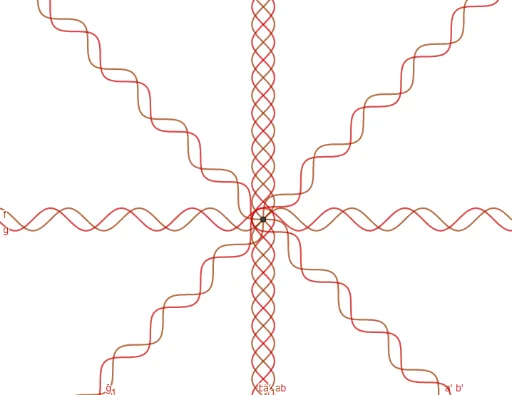
This example demonstrates the concepts of rotation and symmetry. It involves key mathematical concepts such as rotation, symmetry, and geometric transformations. Using GeoGebra commands like Intersect, Rotate, Circle, Point, Vector, and Mirror, the example constructs rotational and symmetric figures. Suitable for students at the junior high school level and above.
GeoGebra Commands & Parameters
Intersect(f, xAxis, (0, 0)) → ARotate(f, 45°, A) → f_1Rotate(f_1, 45°, A) → aRotate(a, 45°, A) → a'Rotate(g, 45°, A) → g_1Rotate(g_1, 45°, A) → bRotate(b, 45°, A) → b'Circle(B, 2) → cPoint(c) → CVector(B, C) → uMirror(b, yAxis) → b'_1Mirror(a, yAxis) → a'_1
AI Drawing Prompt Reference
Draw a centrally symmetric figure by first drawing a circle, then selecting a point on the circle as the rotation center. Rotate the circle 45 degrees three times around this point to get four rotated circles. Next, draw a circle tangent to one of the original circles and select a point on it. Draw a vector through this point. Finally, mirror one of the rotated circles across the y-axis to get two mirrored circles.
The prompt above was compiled from the original drawing commands and is for reference only.