
Roots of a Complex Number by Wendy Fresh
Loading the math board and drawing, please wait…
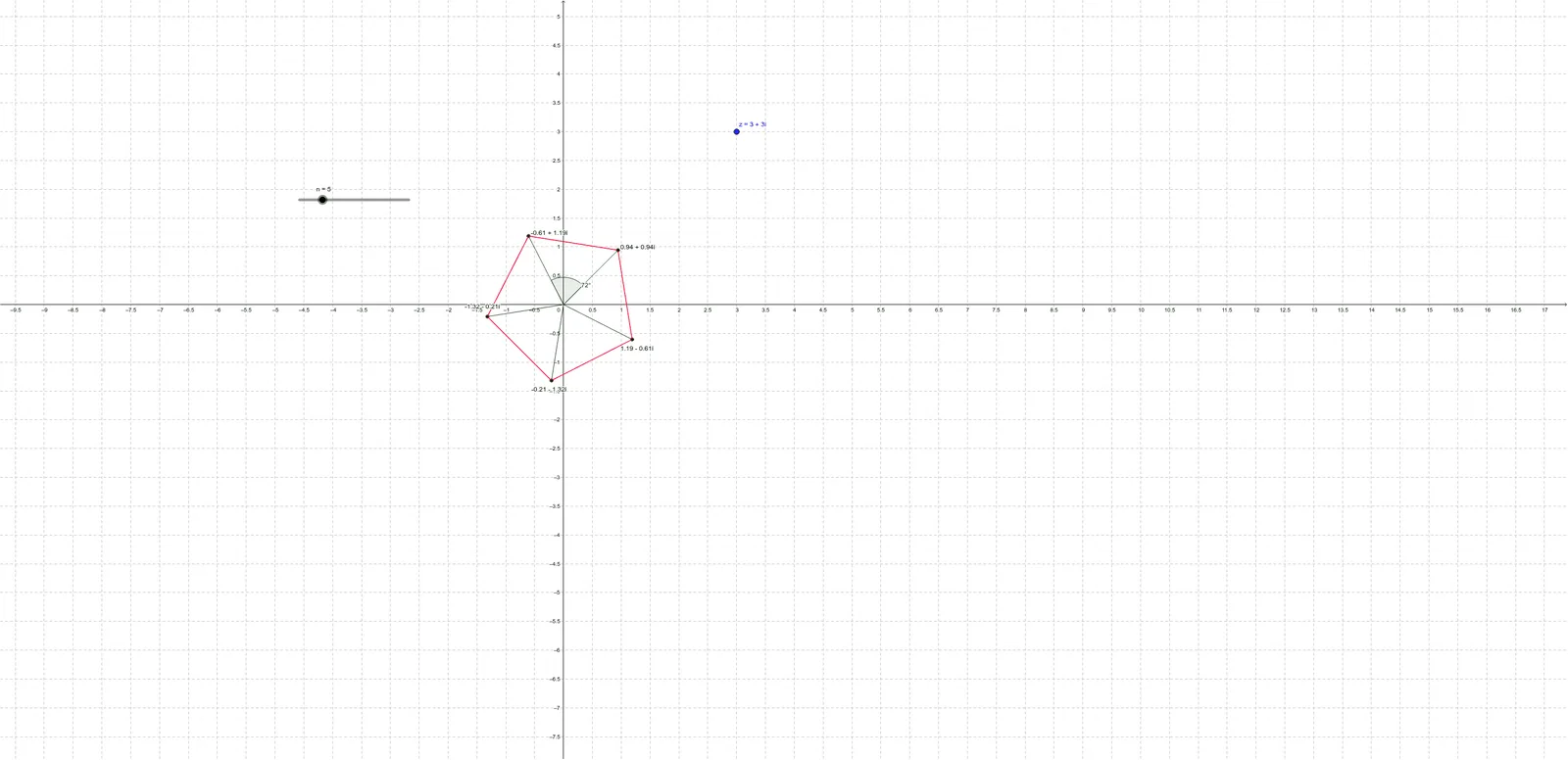
This example demonstrates the geometric distribution of the n-th roots of a complex number in the complex plane. Key math concepts include the modulus and argument of complex numbers, n-th root formulas, and geometric representation. GeoGebra commands like Length, Sequence, Segment, Angle, and Element are used to plot the roots and their connections. Suitable for high school and above mathematics learners to understand the geometric meaning and visualization of complex number operations.
GeoGebra Commands & Parameters
Length(z) → mod_zSequence((mod_z^(1 / n) * (cos(arg_z + ((2 * k) * π / n)) + (ί * sin(arg_z + ((2 * k) * π / n))))), k, 0, n - 1) → list1Sequence(Segment[Element[list1, k], Element[list1, k + 1]], k, 1, n - 1) → list2Segment(Element[list1, n], Element[list1, 1]) → aSequence(Segment[(0, 0), Element[list1, j]], j, 1, n) → list3Angle(Element[list3, 1], Element[list3, 2]) → αElement(list1, A1) → B1Element(list1, A2) → B2Element(list1, A3) → B3Element(list1, A4) → B4Element(list1, A5) → B5Element(list1, A6) → B6Element(list1, A7) → B7Element(list1, A8) → B8Element(list1, A9) → B9Element(list1, A10) → B10Element(list1, A11) → B11Element(list1, A12) → B12Element(list1, A13) → B13Element(list1, A14) → B14Element(list1, A15) → B15Element(list1, A16) → B16Element(list1, A17) → B17Element(list1, A18) → B18Element(list1, A19) → B19Element(list1, A20) → B20
AI Drawing Prompt Reference
Draw the n-th roots of a complex number in the complex plane to demonstrate their geometric distribution. Calculate the modulus and argument of the complex number, then generate n points using these values. Connect each point to the previous one and draw lines from the origin to each point. Finally, connect the first and last points to form a closed polygon, visually representing the geometric meaning of the n-th roots of a complex number.
The prompt above was compiled from the original drawing commands and is for reference only.