
Root Construction
Loading the math board and drawing, please wait…
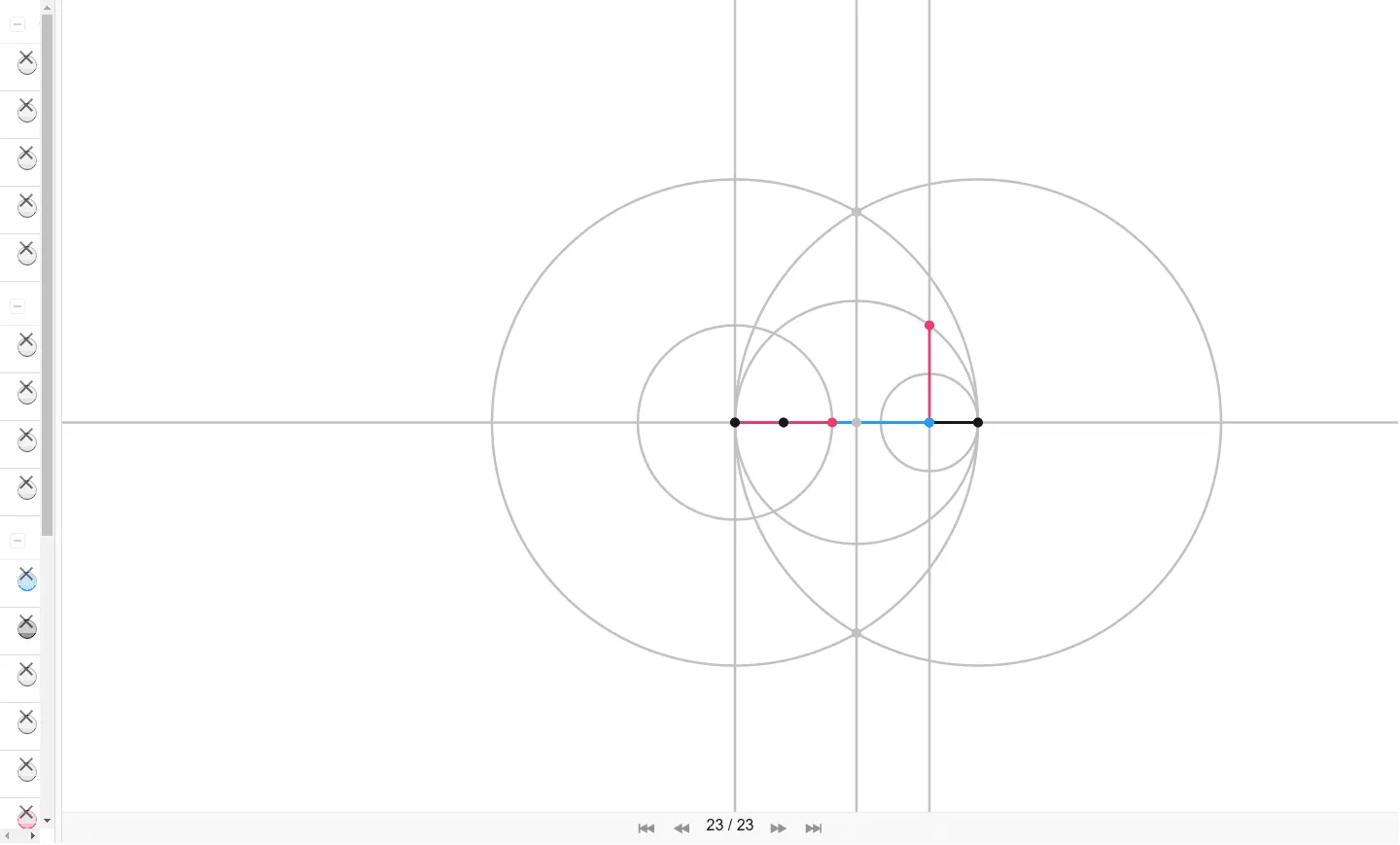
This example demonstrates how to construct the root of a function using GeoGebra, involving core math concepts like functions, geometric constructions, and coordinate geometry. Key GeoGebra commands/objects used include Segment, Line, Point, OrthogonalLine, Circle, and Intersect. Suitable for high school mathematics students and teachers for understanding and visualizing function roots in geometric terms.
GeoGebra Commands & Parameters
Segment(O, U) → fLine(O, U) → gPoint(g) → ASegment(O, A) → iOrthogonalLine(O, g) → hCircle(A, Length[f]) → cIntersect(c, g, 2) → BSegment(A, B) → jCircle(O, B) → dCircle(B, O) → eIntersect(d, e, 1) → CIntersect(d, e, 2) → DLine(C, D) → kIntersect(g, k) → ECircle(E, B) → pOrthogonalLine(A, g) → lIntersect(p, l, 2) → FSegment(A, F) → mCircle(O, Length[m]) → qIntersect(q, g, 2) → GSegment(O, G) → n
AI Drawing Prompt Reference
Draw the root of a function by first drawing a segment and a line through points O and U. Then, take point A on the line, draw a circle with radius OA, and find intersection point B. Continue constructing circles, segments, and intersections to form a geometric shape that represents the function's root.
The prompt above was compiled from the original drawing commands and is for reference only.