
Rolling Polygons
Loading the math board and drawing, please wait…
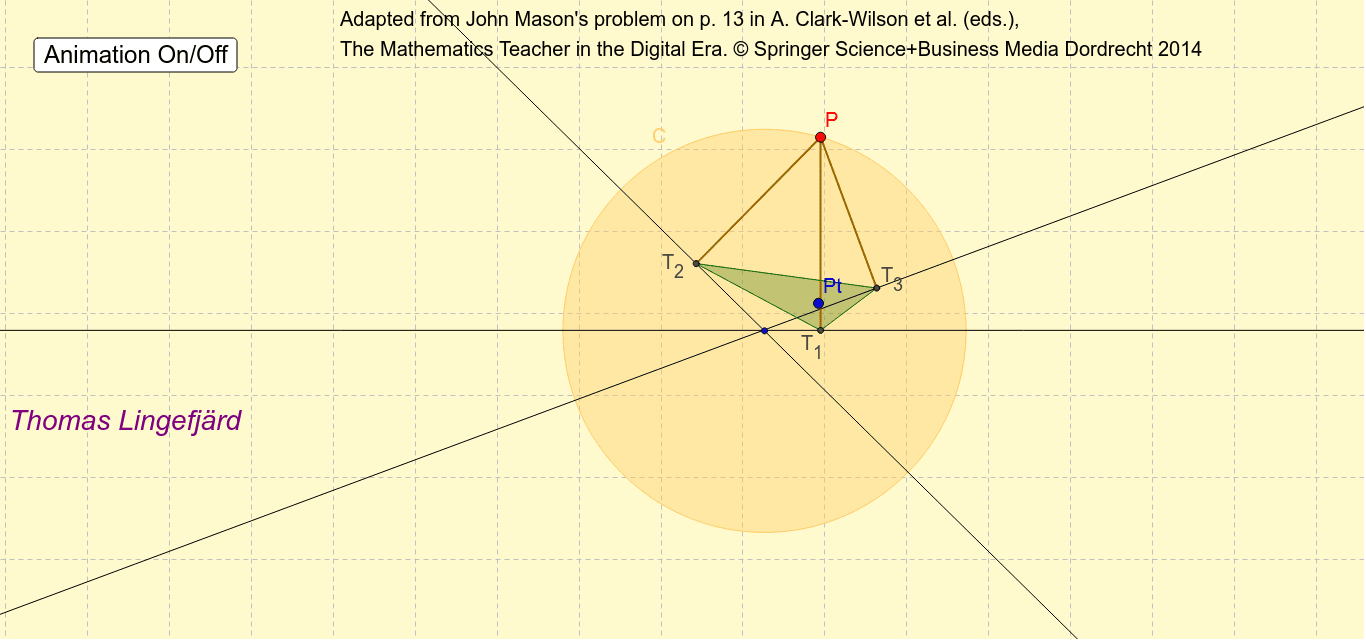
This example demonstrates the rolling of polygons on a circle. Key mathematical concepts include polygons, circles, and trigonometric functions. Using GeoGebra commands such as Circle, Line, Point, etc., a rolling animation of polygons on a circle can be constructed. Suitable for middle school and above students to learn geometric construction and dynamic geometry.
GeoGebra Commands & Parameters
Circle(A, B) → CLine(C_1, D) → aLine(E, F) → bLine(G, H) → dPoint(C) → POrthogonalLine(P, a) → eOrthogonalLine(P, b) → fOrthogonalLine(P, d) → gIntersect(d, g) → T_1Intersect(e, a) → T_2Segment(P, T_2) → hSegment(P, T_1) → iOrthogonalLine(P, b) → mIntersect(b, m) → T_3Polygon(T_2, T_1, T_3) → Polygon1, m_1, l, jAngularBisector(m_1, j) → k, nAngularBisector(l, m_1) → r, sIntersect(n, s) → PtSegment(P, T_3) → pAttachCopyToView(PolyLine[(-5.707901171693298, -2.743374698724938), (-5.744714378467704, -2.7556457676497406), (-5.781527585242111, -2.7679168365745426), (-5.818340792016517, -2.7801879054993446), (-5.855153998790924, -2.7924589744241466), (-5.89196720556533, -2.817001112273751), (-5.928780412339737, -2.8415432501233555), (-5.965593619114143, -2.8538143190481575), (-6.00240682588855, -2.8660853879729595), (-6.051491101587758, -2.8783564568977615), (-6.088304308362165, -2.890627525822564), (-6.125117515136571, -2.915169663672168), (-6.161930721910978, -2.92744073259697), (-6.198743928685384, -2.9397118015217725), (NaN, NaN), (-6.223286066534989, -2.902898594747366), (-6.211014997610187, -2.8660853879729595), (-6.211014997610187, -2.817001112273751), (-6.186472859760582, -2.7801879054993446), (NaN, NaN), (-6.198743928685384, -2.9397118015217725), (-6.149659652986176, -2.9397118015217725), (-6.112846446211769, -2.9519828704465745), (-6.076033239437363, -2.9642539393713765), (-6.039220032662956, -2.988796077220981), (-6.00240682588855, -3.001067146145783), true], 1, (-6.554604927504647, -3.295572800341034), (8.624707332475616, 7.736118163056075), (0, 899), (1237, 0)) → penndrag1
AI Drawing Prompt Reference
Draw a circle and place multiple polygons on it, making them roll sequentially. Each polygon's contact edge with the circle forms a tangent, and perpendiculars from the vertices to these tangents create new vertices, enabling the rolling motion. Start by drawing the circle, then sequentially draw the edges and vertices of each polygon, finally connecting the vertices to form the polygons and showcase the rolling process.
The prompt above was compiled from the original drawing commands and is for reference only.