
Equal Area Geometric Construction: Polygon and Trigonometry
Loading the math board and drawing, please wait…
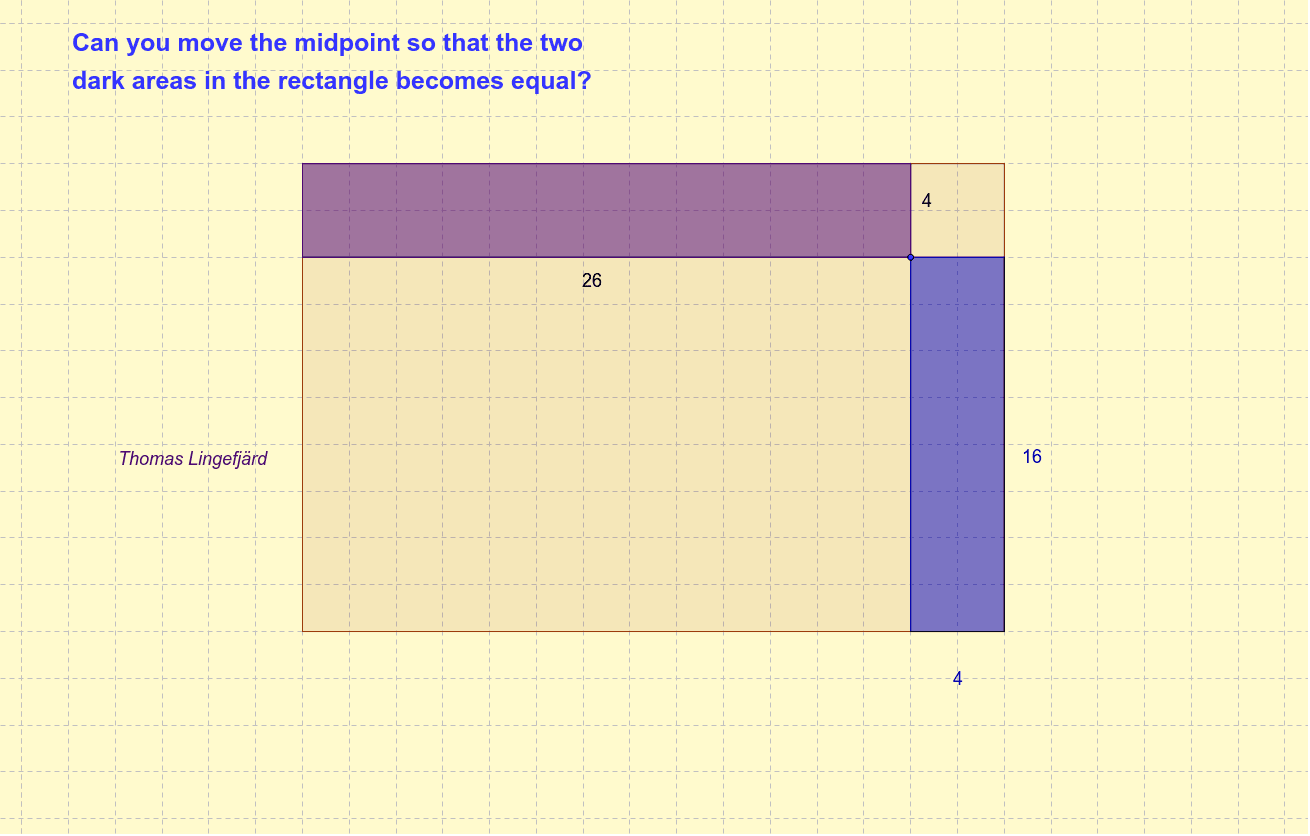
This example demonstrates the phenomenon of equal areas across different geometric shapes. Core concepts involve polygon area calculation, trigonometric functions (cosine), and orthogonal line constructions. Construction utilizes GeoGebra commands such as Polygon for shapes, OrthogonalLine for perpendiculars, Intersect for finding points, and Segment for connecting lines. Suitable for high school geometry education, math competitions, or exploring area conservation through graphical transformation.
GeoGebra Commands & Parameters
Polygon(A, B, C, D) → Polygon1, a, b, c, dOrthogonalLine(E, b) → eOrthogonalLine(E, a) → fIntersect(e, b) → FIntersect(e, d) → GIntersect(f, a) → HIntersect(f, c) → ISegment(F, E) → gSegment(E, G) → hSegment(H, E) → iSegment(E, I) → jPolygon(B, F, E, H) → Polygon2, b_1, f_1, e_1, h_1Polygon(E, I, D, G) → Polygon3, e_2, i_1, d_1, g_1Segment(G, D) → kSegment(I, D) → l
AI Drawing Prompt Reference
Draw a quadrilateral ABCD. Construct two perpendicular lines from point E to sides a and b, intersecting sides c and d at points F and G respectively. Then, connect points E and F, and E and G to form two new triangles. Finally, connect points G and D, and I and D to complete the figure.
The prompt above was compiled from the original drawing commands and is for reference only.