
Right Triangle Trigonometry Demo
Loading the math board and drawing, please wait…
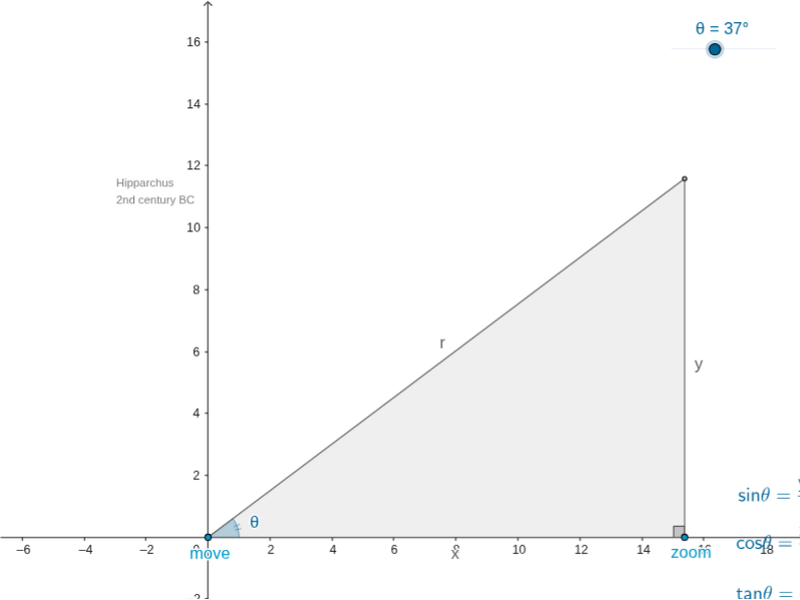
This example demonstrates the definitions and calculations of trigonometric functions in right triangles. It involves core concepts like sine, cosine, tangent, angle measurement, and properties of right triangles. Construction uses commands such as Line, Point, Segment, Rotate, OrthogonalLine, Intersect, Angle, Midpoint, Polygon, and objects like Angle, Text for labeling. Suitable for high school mathematics teaching to visually aid students in understanding trigonometric function definitions and practical applications.
GeoGebra Commands & Parameters
Line(A, xAxis) → aPoint(a) → EPoint(a) → DSegment(E, D) → gPoint(a) → BRotate(B, θ, A) → B'Line(A, B') → cOrthogonalLine(B, xAxis) → bIntersect(b, c) → CSegment(C, A) → ρSegment(B, C) → ψAngle(B, A, B') → φSegment(A, B) → χAngle(C, B, A) → βMidpoint(χ) → FMidpoint(ψ) → GMidpoint(ρ) → HPolygon(A, C, B) → poly1, b_1, a_1, c_1
AI Drawing Prompt Reference
Draw a right triangle with labeled vertices and hypotenuse, then draw the two legs of one acute angle and rotate one leg to form another acute angle, labeling all angles and side lengths, and finally complete the triangle with labeled parts.
The prompt above was compiled from the original drawing commands and is for reference only.