
Right Pyramid Construction in GeoGebra 3D
Loading the math board and drawing, please wait…
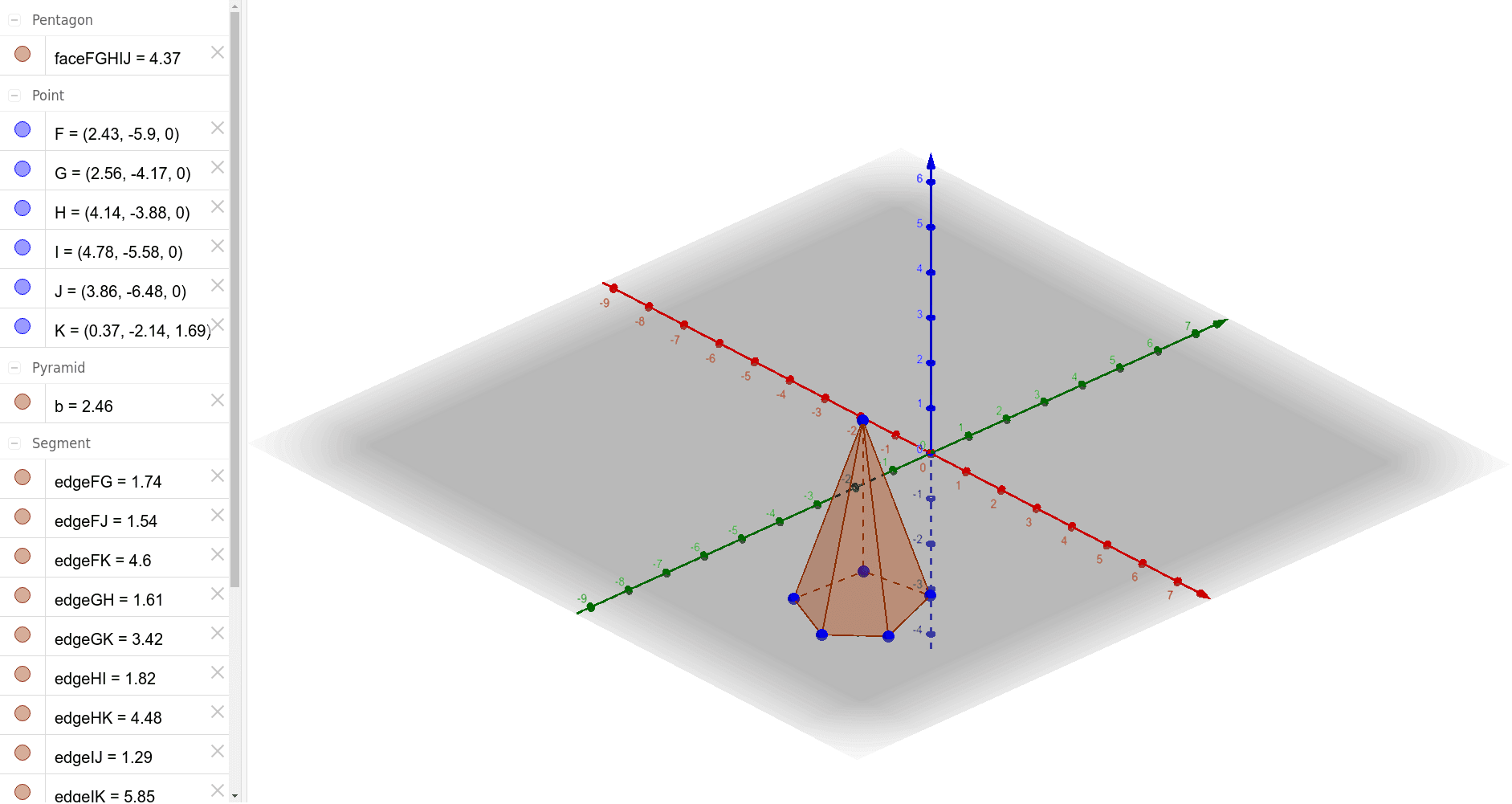
This example demonstrates how to construct a right pyramid using GeoGebra's 3D graphing tools, visually presenting the apex, base, lateral faces, and edges of the pyramid. The core mathematical concepts include solid geometry definitions of pyramids, properties of right pyramids (regular polygonal base with apex directly above the center), and the topological relationships among vertices, edges, and faces. Construction highlights: using the GeoGebra 'Pyramid' command with base vertices F, G, H, I, J and apex K, automatically generating the solid and all lateral faces (faceFGHIJ, faceFGK, etc.) and edges (edgeFG, edgeGH, etc.), along with the base polygon b. This example is suitable for upper secondary or introductory university students to understand the 3D structure of pyramids, and serves as an interactive teaching aid for instructors to demonstrate fundamental solid geometry concepts in a dynamic environment.
GeoGebra Commands & Parameters
Pyramid(F, G, H, I, J, K) → b, faceFGHIJ, edgeIJ, edgeFJ, edgeFK, edgeGK, edgeHK, edgeIK, edgeJK, faceFGK, faceGHK, faceHIK, faceIJK, faceFJK, edgeFG, edgeGH, edgeHI
AI Drawing Prompt Reference
Draw a 3D right pyramid with a regular pentagonal base. Place five vertices on a horizontal plane to form the pentagon, and position an apex directly above the center of the base. Connect the apex to each base vertex with straight edges, creating five congruent triangular lateral faces. Clearly show the five base edges and the five lateral edges, along with all faces. The pyramid should appear upright with the apex centered above the base, emphasizing the spatial relationships among vertices, edges, and faces.
The prompt above was compiled from the original drawing commands and is for reference only.