
Right Cone by elizabethdowns
Loading the math board and drawing, please wait…
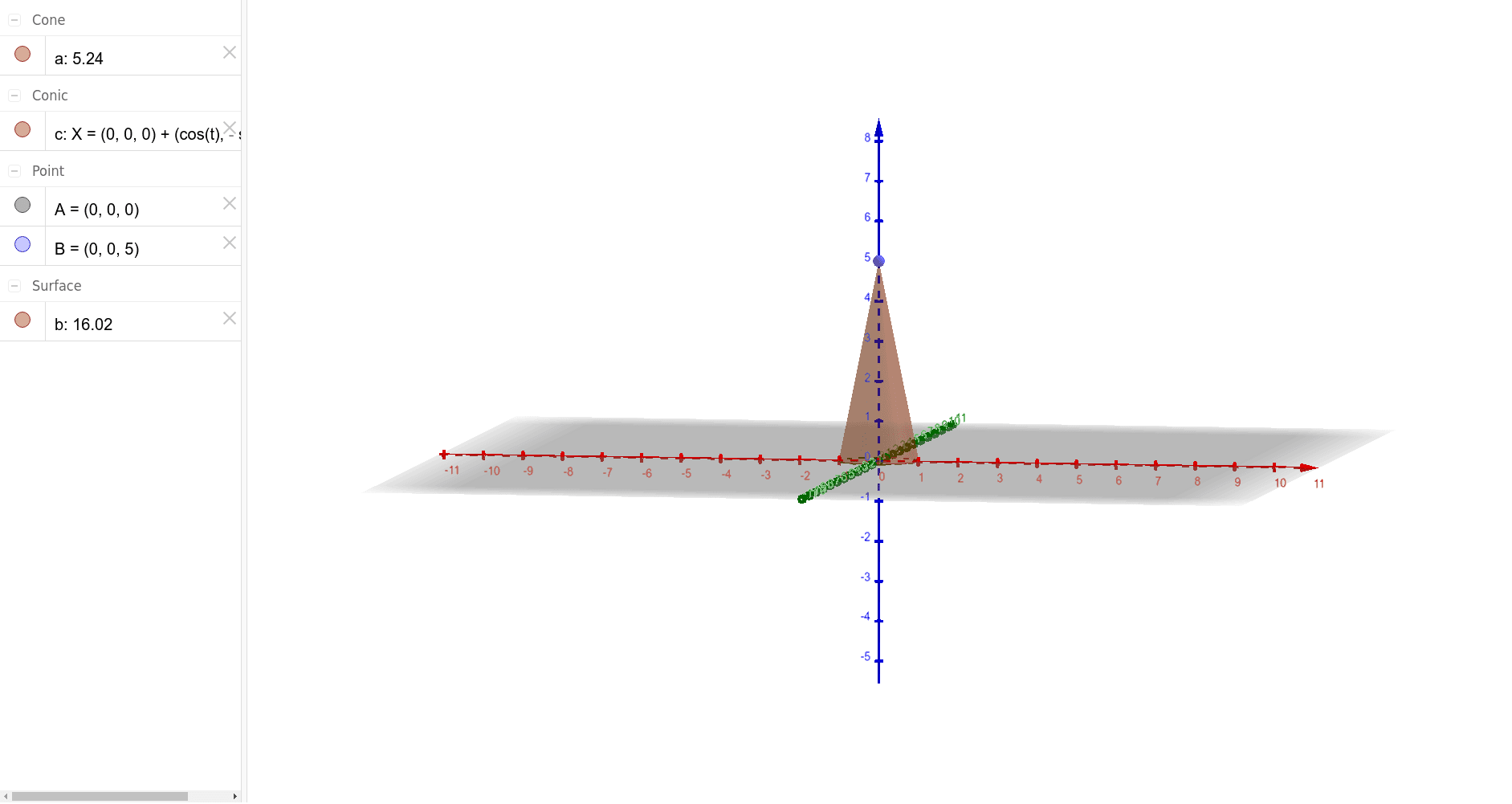
This example demonstrates the geometric construction and properties of a right cone. It involves core mathematical concepts such as solid geometry, coordinate geometry, linear functions, and conic sections. The construction uses commands like Intersect, Point, and Cone, with objects A, B, a, c, b. It is suitable for high school students studying solid geometry and coordinate geometry.
GeoGebra Commands & Parameters
Intersect(yAxis, xAxis) → APoint(zAxis) → BCone(A, B, 1) → a, c, b
AI Drawing Prompt Reference
Draw a right cone with its base center at the origin of a 3D coordinate system, base radius 1, and base lying in the horizontal plane. The apex is located on the vertical axis (z-axis) directly above the origin. Include the coordinate axes, with the horizontal and vertical axes intersecting at the origin)Skip, and the apex on the vertical axis. Show both the circular base and the conical lateral surface clearly, giving a three-dimensional appearance. Construct by first placing the origin as the base center, then choosing a point on the vertical axis as the apex, and finally connecting the base circumference to the apex to form the cone.
The prompt above was compiled from the original drawing commands and is for reference only.